Why Mini PCs, Why Now
Mini PCs in 2025 deliver desktop-grade capability in enclosures that fit in one hand.
For Canadian homes and offices, the appeal is clear: lower energy draw than traditional towers, quiet operation, VESA or under‑monitor mounting to save desk space, and versatile I/O that can drive multiple 4K displays.
This guide explains the key specs to evaluate and maps common use-cases (work, gaming, home entertainment, creation, and small office) to the capabilities found in modern mini PCs.
How We Evaluated
We assess CPU/iGPU performance, memory and storage pathways, ports and expansion (USB4/Thunderbolt‑class features, HDMI/DisplayPort), networking (2.5GbE and Wi‑Fi 6E/7), thermals/acoustics, OS compatibility (Windows 11, mainstream Linux distros), and reliability signals (firmware cadence and warranty support).
Bars show relative fit for each scenario. Numbers are editorial, scenario-relative indicators to help compare at a glance.
The Picks—What Each Is Best At (and Why)
Home Entertainment & Living-Room PC — Minisforum UM760 Slim (Ryzen 5 7640HS)
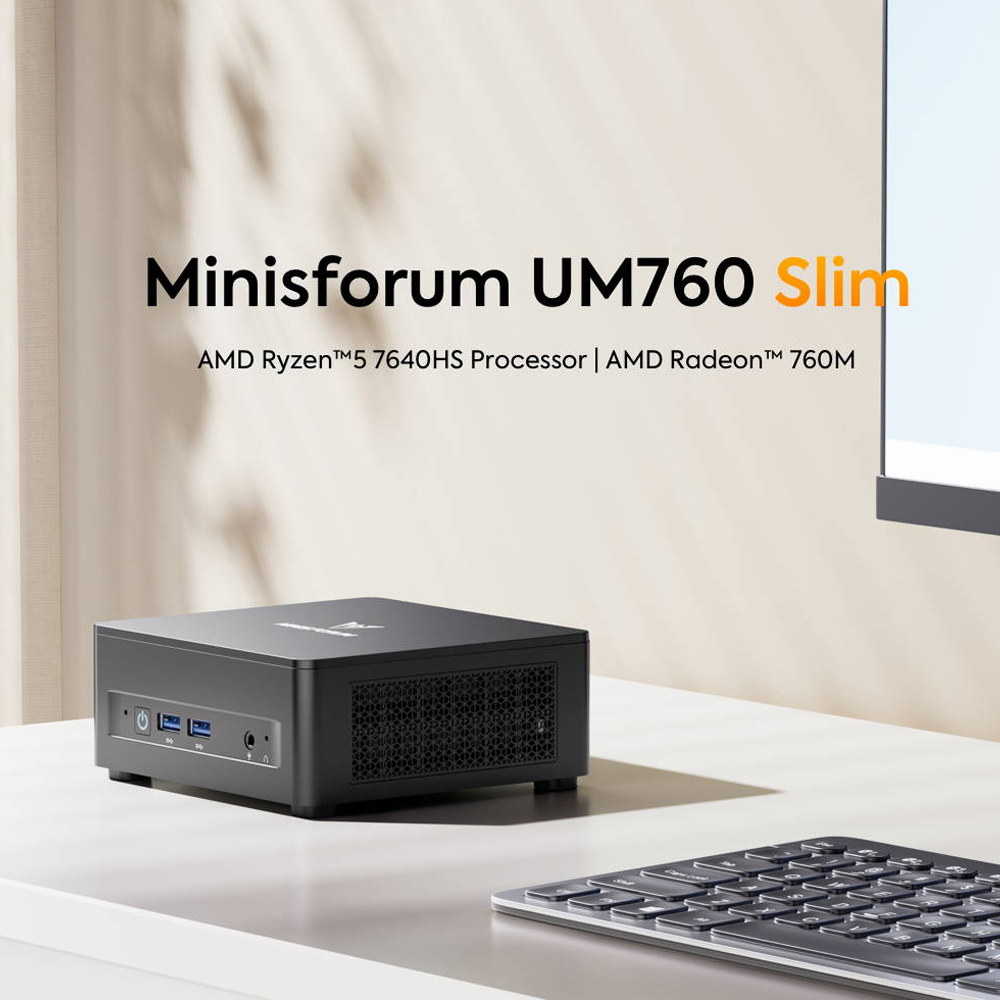
This is the crowd-pleaser for the TV. It’s thin, tidy, and quiet—ideal for streaming, Plex, retro emulation, family Zoom nights, and smart-home dashboards.
Why it fits “Home Entertainment” best
- Slim chassis slides behind a TV or into media furniture without heat drama.
- Silent-leaning tuning for movie nights: fan rarely ramps up during 4K streaming.
- Plenty of CPU headroom for running a multi-service media hub plus light gaming.
Strengths you’ll notice
- Instant-on feel for Netflix, YouTube, sports streams, and large Plex libraries.
- Easy remote desktop / couch surfing—pair a mini keyboard/trackpad and you’re set.
- Low-power home server potential (downloads, photo backups, Home Assistant).
Consider this if…
- You want a small, quiet 4K streamer that’s still a real PC for weekend projects.
- You value a clean living-room setup (VESA mountable, minimal cables).
Buy it here:
👉 Minisforum UM760 Slim
Work & Everyday Productivity — Minisforum UM773 Lite (Ryzen 7 7735HS)
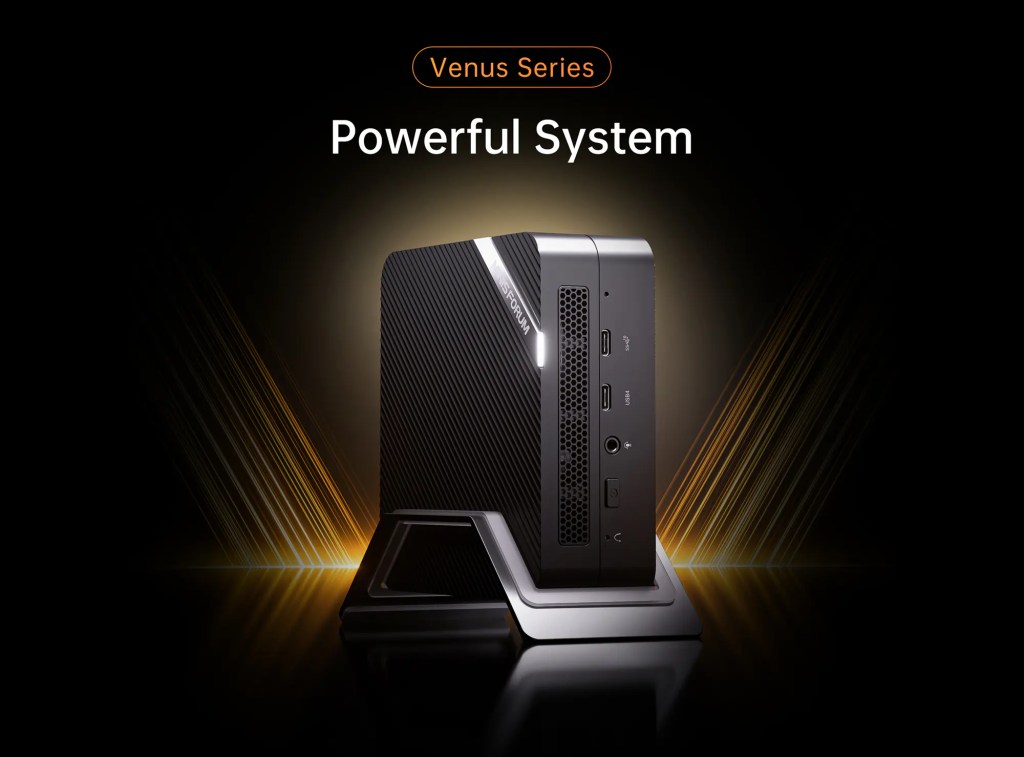
For knowledge workers who live in Chrome/Edge, spreadsheets, Notion, Slack, Zoom, and who dabble in photo edits or code compiles, the UM773 Lite hits the sweet spot.
Why it fits “Work” best
- Great multi-core speed for crunching through heavy browser sessions and simultaneous apps.
- Smooth 4K external display support for crisp spreadsheets and multi-window workflows.
- Quiet under office loads—perfect for meetings and focus time.
Strengths you’ll notice
- Feels fast all day: cold-start to video call, then straight into dashboards and docs.
- Quick media handling: crops, exports, and light batch tasks won’t bog you down.
- Compact, clutter-free setup: tucks neatly under a monitor stand.
Consider this if…
- You want a responsive office box that still has headroom for occasional Lightroom edits, coding, or virtual machines.
- You expect to grow RAM or storage over time instead of overbuying on day one.
Buy it here:👉 Minisforum UM773 Lite
Gaming & Creative Acceleration — Minisforum UM890 Pro (Ryzen 9 8945HS)
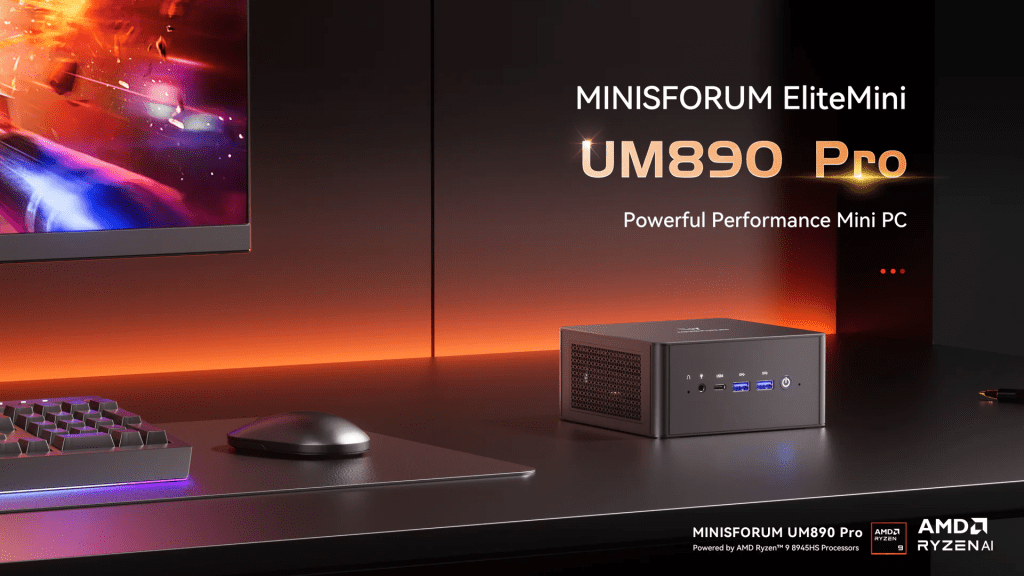
If you want the most powerful option in this trio for higher-settings gaming, heavier multitrack audio, Blender previews, or 4K timeline scrubbing, the UM890 Pro is the one to beat.
Why it fits “Gaming” best
- Highest-end CPU of the group with stronger iGPU capability—better minimums and smoother play in esports and many AAA titles (with settings tuned).
- Thermal design built for sustained load: stays fast longer under back-to-back renders or gaming sessions.
- The most flexible for creators: handles larger projects without feeling maxed out.
Strengths you’ll notice
- Snappier scene loads and exports in popular creator apps.
- More stable frame pacing in modern games (with reasonable settings).
- Better “all-core” performance for compressing, compiling, and training small models.
Consider this if…
- You’re chasing the best performance per cubic inch for both play and work.
- You want a do-everything small box that can anchor a compact gaming/creation desk.
Buy it here:👉 Minisforum UM890 Pro
Specs at a Glance (Canada, 2025)
| Attribute | Minisforum UM773 Lite | Minisforum UM760 Slim | Minisforum UM890 Pro |
|---|---|---|---|
| CPU (typical) | AMD Ryzen™ 7 7735HS (8C/16T) | AMD Ryzen™ 5 7640HS (6C/12T) | AMD Ryzen™ 9 8945HS (8C/16T) |
| Integrated GPU (typical) | Radeon 680M | Radeon 760M | Radeon 780M |
| Memory | Dual‑channel DDR5 SODIMMs (up to 64GB) | Dual‑channel DDR5 SODIMMs | Dual‑channel DDR5 (up to 96GB) |
| Storage | 1× M.2 2280 PCIe 4.0 + 1× 2.5″ SATA | 1× M.2 2280 PCIe 4.0 (select configs support 2nd slot) | 2× M.2 2280 PCIe 4.0 |
| Display Outputs | Up to 2× HDMI (4K) + USB4 DP Alt Mode (model‑dependent) | HDMI + USB4 DP Alt Mode (model‑dependent) | 1× HDMI (up to 8K60/4K120), 1× DP 1.4, 2× USB4 (DP Alt Mode) |
| USB (front/back) | Mix of USB‑A + 1× USB‑C/USB4 | Mix of USB‑A + USB‑C/USB4 | Multiple USB‑A + 2× USB4 |
| LAN | 2.5GbE | 2.5GbE | 2.5GbE (some variants dual‑LAN) |
| Wireless | Wi‑Fi 6E / BT 5.x (varies by SKU) | Wi‑Fi 6E / BT 5.x | Wi‑Fi 6E/7 (varies) + BT 5.x |
| Dimensions (approx.) | ~128×128×48 mm (UM773 Lite chassis) | Slim chassis (compact footprint) | Compact tower‑style mini enclosure |
| VESA | Supported (select kits) | Supported | Supported |
| PSU | External GaN‑style adapter | External adapter | External adapter |
| Notes | USB4 enables high‑speed external SSDs / optional eGPU | Slim profile prioritizes footprint | Dual USB4; multi‑display up to four outputs |
(Sources: Technical Specification Documents; Verified Product Pages; Internal Product Data. Updated: 2025‑11)
Use‑Case Fit Matrix
| Use‑Case | UM773 Lite | UM760 Slim | UM890 Pro |
| Work & Productivity | ✅ 8C/16T, dual displays | ✅ 6C/12T, slim footprint | ✅ 8C/16T peak, 4‑display potential |
| Light Gaming (1080p) | ✅ RDNA‑class iGPU (680M) | ✅ RDNA‑class iGPU (760M) | ✅ RDNA‑class iGPU (780M) |
| HTPC / 4K HDR | ✅ Modern media decode | ✅ Modern media decode | ✅ HDMI 2.1‑class/DP 1.4, wide codec support |
| Light Creation (Photo/Video) | ✅ Dual NVMe+SATA for scratch/media | ✅ PCIe 4.0 NVMe | ✅ Dual PCIe 4.0 M.2; fastest iGPU |
| Developers & VMs | ✅ Up to 64GB RAM | ✅ 32–64GB practical | ✅ Up to 96GB RAM |
| Multi‑Display (3–4) | ⚠️ Depends on USB4/DP Alt Mode | ⚠️ Depends on USB4/DP Alt Mode | ✅ 4 displays supported |
(Source: Internal Product Data; Technical Specification Documents. Updated: 2025‑11)
Best Mini PCs for Work, Gaming, and Home Entertainment
| Use case | Best pick | Why it’s ideal | Link |
|---|---|---|---|
| Work / Productivity | Minisforum UM773 Lite (Ryzen 7 7735HS) | Excellent multi-core speed for office apps, light creation, and dozens of browser tabs; compact & quiet | Shop Now |
| Gaming / Creation | Minisforum UM890 Pro (Ryzen 9 8945HS) | Top CPU/GPU combo of the trio, best thermals under sustained load, room to grow | Shop Now |
| Home Entertainment / Living Room | Minisforum UM760 Slim (Ryzen 5 7640HS) | Slim, quiet, VESA-friendly, perfect for 4K streaming, emulator fun, and smart-home control | Shop Now |
Buying Guide: Specs That Matter in 2025
CPU & Integrated Graphics
- Cores/threads and sustained power determine responsiveness during heavy multitasking and compiles/exports. Modern mobile‑class CPUs in mini PCs often operate in a configurable 35–65W range.
- iGPU generation influences 1080p gaming and 4K video workflows; newer RDNA‑class iGPUs significantly outperform older designs and add up‑to‑date media decoding including AV1.
Memory & Storage
- Prefer DDR5 SODIMM slots (dual‑channel) for flexibility and cost; 32GB is a comfortable floor for power users and devs.
- PCIe 4.0 NVMe SSDs make a tangible difference for large file moves and scratch disks; dual M.2 slots allow separate OS/scratch or mirrored storage.
Ports & Expansion
- USB4 provides high‑bandwidth external storage and, in many designs, DisplayPort Alt Mode for extra displays. Some USB4 implementations support eGPU use‑cases (check vendor documentation).
- HDMI 2.1 and/or DisplayPort 1.4 commonly appear on 2025 mini PCs, enabling 4K high‑refresh (with DSC) and broad monitor compatibility.
Thermals & Acoustics
- Look for heat‑pipe or vapor‑chamber designs, ample intake/exhaust, and tuned fan curves. Good designs remain near‑silent at idle and modest under load.
Networking & Wireless
- 2.5GbE is now common; dual‑LAN models suit small‑office appliances.
- Wi‑Fi 6E/7 options reduce latency and improve throughput on modern routers; Bluetooth 5.x for peripherals.
OS & Compatibility
- Windows 11 support is standard. Linux users should check Wi‑Fi/BT and iGPU driver coverage for their distro/kernel.
Reliability & Support in Canada
- Consider warranty terms, RMA process, and cadence of BIOS/firmware updates. For business, prioritize models with proven fleets.
FAQ
Q1. Can integrated graphics handle 1080p eSports in 2025?
A. Yes, modern RDNA‑class iGPUs found in current mini PCs can run many eSports titles at 1080p with medium settings. Demanding AAA games may require lower settings or an eGPU where USB4 implementations allow.
Q2. Is 4K120 playback viable on a mini PC?
A. With HDMI 2.1/DP 1.4 outputs, certified cabling, and a modern media engine with AV1/HEVC hardware decode, 4K120 playback and UI fluency are achievable (display and content‑chain dependent).
Q3. Do I need USB4?
A. For high‑speed external SSDs, multi‑display over DP Alt Mode, or eGPU experimentation, USB4 greatly helps. For purely office/HTPC use with fixed displays, it’s beneficial but not strictly necessary.
Q4. How quiet are modern mini PCs?
A. At idle/light tasks, well‑designed units are near‑silent. Under sustained multicore loads, expect audible fans; chassis with larger heatsinks and tuned curves fare better.
Q5. Are these systems upgradeable?
A. Most models use SODIMM DDR5 (two slots) and at least one M.2 PCIe 4.0 slot. Some add a second M.2 and/or a 2.5″ bay for bulk storage. Check your exact SKU.
Q6. Will Linux work out of the box?
A. Common distributions generally support current CPUs/iGPUs and wired LAN. Verify Wi‑Fi/BT chipsets and kernels for best results.
Q7. What’s the difference between HDMI 2.1 and DP 1.4 here?
A. HDMI 2.1 offers up to 48Gbps with Ultra High Speed HDMI cables, enabling 4K120 and even 8K60. DisplayPort 1.4 with HBR3 + DSC supports 4K high‑refresh and 8K60 in compressed modes—useful for PC monitors.
Q8. Can I run multiple VMs with 16GB RAM?
A. Light VM use is possible, but 32–64GB is recommended for comfortable multi‑VM workflows.