


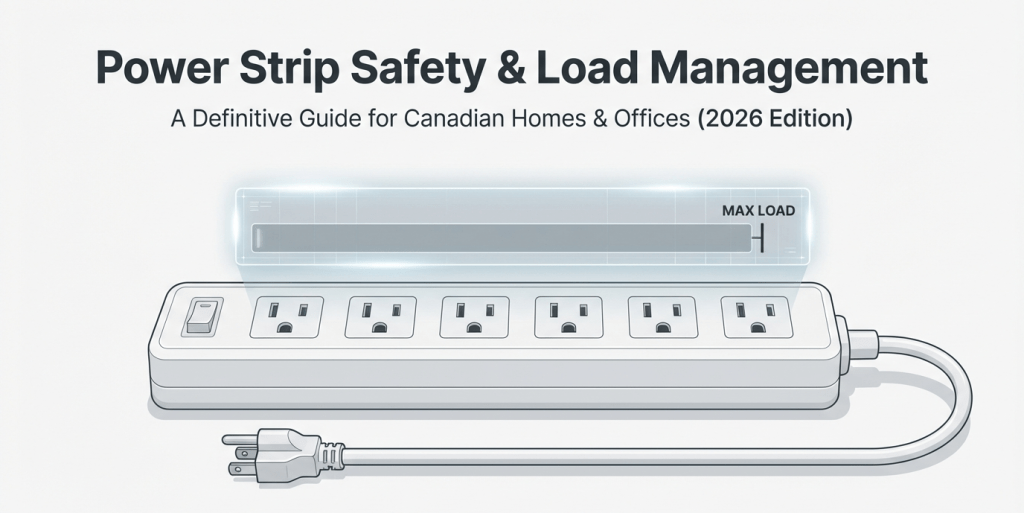
You plug in a laptop, two monitors, a desk lamp—and then a space heater, because it’s January.
The bar has sockets left, so it must be fine… right?
Not necessarily. There’s no “safe number of devices” for a power strip. Safety depends on total load (watts/amps), the strip’s own rating, and the wall circuit behind it—plus a hard rule against daisy-chaining (strip-into-strip).
This Canadian guide explains the math in plain language, shows you a 15 A vs 20 A cheat sheet, lists typical device wattages, and gives you a self-check for overload symptoms before something fails.
The 60-Second Answer
- Find the lowest rating in your setup (wall circuit, receptacle, or strip). That number wins.
- Add the watts of the devices you’ll use at the same time. Convert amps → watts with
Watts ≈ Volts × Amps(e.g., 120 V × 2 A = 240 W). - Treat continuous loads as ~80% of the circuit rating (good practice for heat and breaker margin).
In most Canadian homes: a general-purpose branch circuit is 15 A @ 120 V → absolute 1,800 W; continuous target ~1,440 W.
A 20 A circuit (less common for general outlets) → 2,400 W; continuous ~1,920 W.
What Never Belongs on a Power Strip
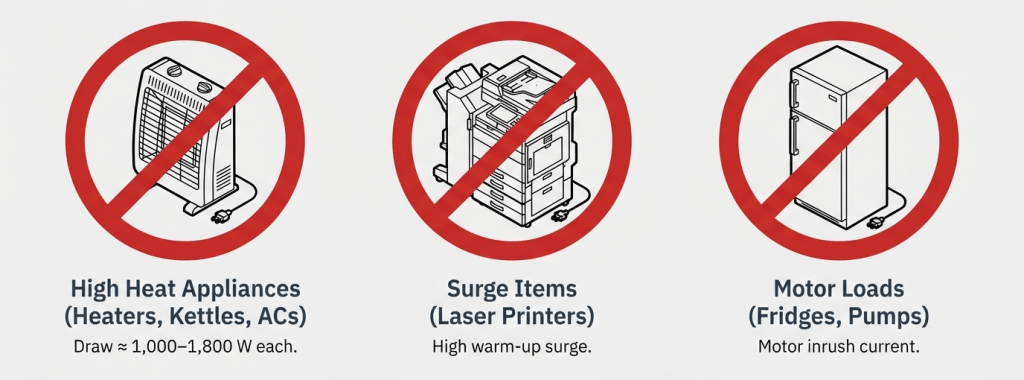
- Space heaters, kettles, toasters, microwaves, portable ACs (≈ 1,000–1,800 W each)
- Large laser printers/copiers (high warm-up surge; sustained heat)
- Refrigerators, freezers, pumps (motor inrush)
- Another power bar or extension cord (no daisy-chaining)
Plug these directly into a suitably rated wall outlet on a dedicated or lightly loaded circuit.
15 A vs 20 A (Canada) — What’s Different and Why It Matters
| Item | 15 A Circuit | 20 A Circuit |
|---|---|---|
| Nominal voltage | 120 V | 120 V |
| Max watts (nameplate math) | 1,800 W | 2,400 W |
| Good continuous planning target (~80%) | ~1,440 W | ~1,920 W |
| Receptacle blade shape | Standard 15 A | 20 A circuits may use T-slot (accepts 15 A plugs) |
| Typical location | General household outlets | Kitchen/specialty/shops (varies) |
Your power strip still has its own rating—often 15 A, 125 V (1,875 W). You may be on a 20 A branch, but the strip limits you to its nameplate (or the lower of the two).
Typical Device Wattages (Desk & Media Centre)

| Device | Typical range (W) | Notes |
|---|---|---|
| Phone/tablet charger | 5–30 | Low, but many add up |
| Laptop power adapter | 45–100 | Gaming/workstation: 180–240 possible |
| LCD/LED monitor (27–32″) | 25–60 | HDR/brightness raises draw |
| Small speakers/soundbar | 5–40 | Idle is low |
| Desk lamp (LED) | 5–12 | Halogen much higher |
| Router/mesh node | 8–20 | Add per node |
| External HDD/NAS (small) | 10–35 | Spindles surge on spin-up |
| Game console/streamer | 15–200 | Wide variance by title/mode |
| Laser printer (office) | 300–600 idle / 500–1000+ heat | Avoid on strips |
| Space heater | 1,000–1,500 | Wall outlet only |
Example safe combo (≈ 320–480 W): laptop 65–100 + two monitors 80–120 + lamp 9 + speakers 20 + phone charger 18 + router 12.
Example risky combo: add a 1,500 W heater to the above and you’re well over a 15 A continuous target.
The Math (Canada @ 120 V) — Two Quick Scenarios
Scenario A: Home office on a 15 A circuit
- Safe continuous target ≈ 1,440 W
- Your devices (used at once) total ≤ 600 W → OK
- Add a 1,500 W heater → exceeds target → move the heater to a different dedicated wall outlet or don’t use it with the strip.
Scenario B: Entertainment centre on a 20 A circuit, 15 A strip
- Circuit continuous target ≈ 1,920 W, but strip is 15 A (1,875 W) → strip limit applies
- AVR 250 + TV 180 + console 200 + streamer 15 + sub 150 = 795 W → OK
- Don’t add high-draw appliances or another chained strip.
Overload & Failure—Early Warning Signs (Self-Check)
- Warm housing or hot plug blades after normal use
- Plastic odour, scorch marks, or discolouration around outlets
- Buzzing/crackling sounds or intermittent power
- Frequent breaker trips when you add one more device
- Loose plug grip (outlets no longer hold cords firmly)
If you notice any of the above, unplug and replace the strip, and reduce the load on that circuit.
Power Strip Buying & Setup (Canada 2026)
What to look for
- Recognized safety mark: CSA, cULus, or cETLus on the product and plug.
- Clear rating: commonly 15 A, 125 V; never exceed this.
- Overload protection: resettable 15 A breaker, surge/ground indicators for electronics.
- Cord gauge & length: longer cords should be 14 AWG on 15 A strips; avoid unnecessary length.
- Mounting & layout: spaced outlets for adapters; keyhole mounts keep the unit off carpet.
- Environment: keep dry, ventilated, and visible (you need to see the indicator lights).
What to avoid
- Uncertified products or vague marks
- Worn strips (loose sockets, cracked case)
- Daisy-chains and permanent use of extension cords to extend strips
Quick “Yes/No” Table
| Device type | OK on power strip? | Why |
|---|---|---|
| Laptop, monitors, chargers, router | ✅ | Low–moderate continuous load |
| Game console + TV + streamer | ✅ | Typically under 500–900 W total |
| Laser printer/copier | ❌ | High inrush and heat |
| Space heater, kettle, microwave | ❌ | Single device can exceed safe margin |
| Second power strip/extension cord | ❌ | Daisy-chain hazard |
1-Minute Safety Checklist
- Confirm CSA/cULus/cETLus mark and 15 A rating on the strip.
- Add up simultaneous watts; keep ≤ ~1,440 W on 15 A circuits (or the strip’s lower limit).
- One strip per receptacle—no chaining.
- Keep off rugs, away from heaters, and visible for status lights.
- Replace at first signs of heat, odour, or looseness.
- High-draw appliances: wall outlet only.
FAQ
Q1: So how many devices is safe—5, 6, 8?
There’s no fixed number. Count watts, not sockets. Many desk setups safely run 5–8 low-watt items well under 500 W.
Q2: Can I plug a power bar into a UPS?
Use the UPS’s built-in outlets as intended. Chaining a strip can defeat protection and cause overloads.
Q3: Is a surge protector different from a power strip?
Yes. Surge protectors add MOV-based protection against spikes. Both still share a current rating you must respect.
Q4: My strip says 1,875 W but my circuit is 15 A (1,800 W). Which limits me?
Plan to the lower, practical limit—the circuit’s ~1,440 W continuous guideline—and never exceed the lowest nameplate in the chain.
Q5: Are long cords unsafe?
Longer cords add voltage drop and can run warmer. Choose appropriate gauge (e.g., 14 AWG for 15 A strips) and don’t exceed needed length.
Sources
- CSA Group / Canadian Electrical Code (CEC) context — Branch circuit ratings, continuous load practice, relocatable power taps.
- CCOHS (Canadian Centre for Occupational Health and Safety) — Office power bar safety, daisy-chaining hazards, placement guidance.
- UL / Intertek (cULus / cETLus) — Certification frameworks for surge protectors and power taps; overload protection requirements.
- Electrical Safety Authority (Ontario) — Public safety advisories on extension cords, space heaters, and receptacle loading.
- NFPA / ESFI — Overload, heat, and home-office fire-prevention basics relevant to power strips.


