


If this is your first Android TV media box, setting it up is surprisingly easy. There are several applications that can be used with one of these media boxes, including Kodi, YouTube, and Netflix. Each of these can be used to connect to the Internet and stream videos. Use this quick guide to connect and set up your media streaming box on your high-definition TV.
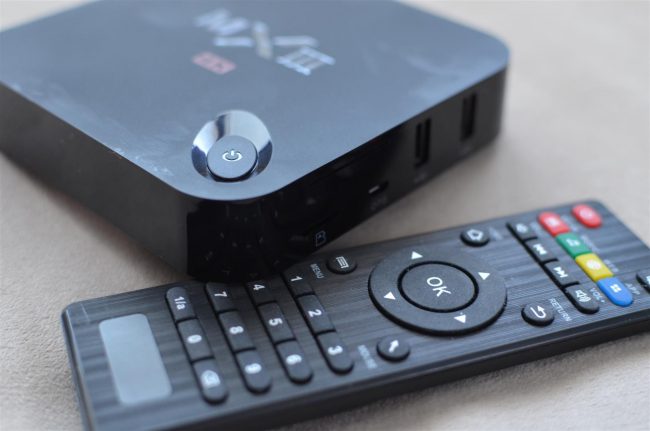
The vast majority of media boxes will come with an HDMI output, meaning connecting your Android TV Kodi box to your flat-screen will use an HDMI cable. As one of the most advanced home theater cables in the market, HDMI carries both high-definition video and sound. It’s a singular cable for all things required. So start by connecting your HDMI cable from your media box direct to the TV. Then, ensure your television is set to the correct input.
From there, power on your Android TV box. Most boxes come with a remote though other units may have a power button directly on them. After your media streaming box has been activated, you should see it appear on your flat-screen. Now, you’ll have to connect to the Internet either via WiFi or Ethernet. Regarding a home theater connection, we always recommend going with an Ethernet cable however that said, a wireless signal is preferable to most.
After you have connection to the Internet, you can begin setting up your preferences, like language, time zone, and more. Then, you’re ready to go. Now, when it comes to streaming videos, your box is required to have the application to do so. Therefore, if you want to stream YouTube videos, you need to ensure your TV media box has a YouTube app.
The average Android box will come with pre-installed apps and usually has access to an App Store of some kind. There, a user can browse all sorts of apps, and they can download and install what they wish. Also, regarding it being an Android Kodi box, if the Kodi program is not pre-installed, you can download it directly from the App Store.
An Android Kodi media streaming box is a great option to upgrade one’s home theater system. Stream videos, music, check the weather, play games, and do all sorts of fun stuff. Home theater media boxes come in all sorts of shapes, sizes, and price ranges. Take a browse and find one that suits what you hope to use it for.
Thankfully, connecting and installing it on your television should be straightforward, as long as there aren’t any issues with your Internet connection. Browse Android Kodi TV boxes and much more in PrimeCables’ home theater category.


