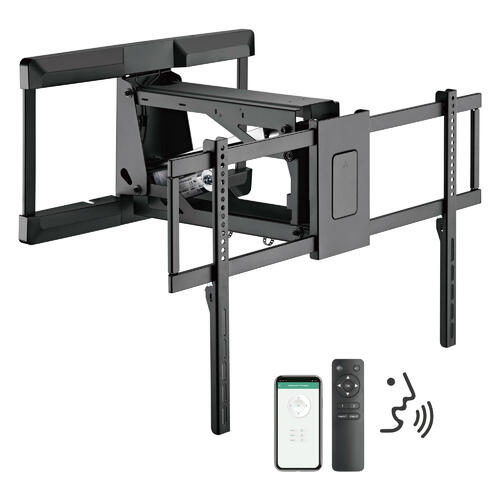
Installing a TV wall mount has been made easy with PrimeCables’ dozens of different wall mount models. If you don’t know where to start in shopping for your wall mount, consider any of the models available – basic, fixed, tilt, swivel, full-motion, articulating arm, pull-down, etc. After you’ve chosen your TV wall mount, your installation will begin by checking the walls for studs. Even though flat-screens are lighter today than televisions have ever been in the past, they still require studs to be properly mounted. Studs will anchor the screws. Keep in mind drywall anchors will not work and eventually, using them to mount a television, you’ll see permanent damage come to the wall as your screen comes crashing down to the floor.
After you have found the studs or while you are searching, one must consider where the most appropriate viewing height is according to where you intend to sit. If you have some cardboard, consider making a template the same size as your flat-screen. Use it to gauge where a high-definition TV would fit best. Before you start drilling anything, ensure your choice is centered, not too high, and keep in mind that if it’s immediately across from a window, there could be glare. A real killer to daytime enjoyment of one’s media center, glare can be limited and even erased altogether by changing the location of your television and/or using a wall mount that tilts. Be sure to plan where you intend to insert cables and where any associated devices may sit, such as streaming boxes, TiVos, cable boxes, antennas, laptops, or other devices.
Next, use a pencil to mark down the stud holes you intend to drill into. Ensure everything is mounted and then, drill. Position the wall mount accordingly and once again, ensure everything is level. Attach your mount to the wall and make sure it is firm. Then attach any piece required to the television. Then, if you can use a friend, install the TV onto the mount and ensure everything’s affixed properly. It’s that easy. Browsing PrimeCables, you’ll find a wide array of different wall mounts to browse in type, size, and price. Buying your wall mount from PrimeCables, you’ll enjoy fast, free shipping to anywhere in Canada on orders above $49, in addition to free returns and a 1-year product guarantee. Shop PrimeCables today to buy the perfect wall mount for your home and see the difference. Build a more immersive home theater experience unlike anything you’ve had in your home before!