Kids don’t sit still—and they don’t stay the same size for long. A desk-chair setup that fits in September may be too tall by spring. Poor fit nudges children into chin-up or hunched postures that can fuel neck/shoulder strain, eye fatigue, and fidgeting that sabotages focus.
This guide helps parents decide whether a height-adjustable desk is worth it, with clear sizing rules by growth stage, a cost-benefit model, and a simple setup checklist.
The Parent’s Quick Guide
- The Problem: Fixed desks force children to adapt their bodies to the furniture, leading to permanent posture habits (slouching, neck strain).
- The Reality: Kids grow in spurts (3-7 cm/year). A desk that fits in September is often ergonomic “trash” by March.
- The Solution: A height-adjustable desk isn’t a luxury; it’s a one-time investment that spans from Grade 1 to high school, saving you from the “buy-and-replace” cycle.
How to Tell If Your Child Needs Adjustability
- Seat your child with feet fully supported (floor or footrest).
- Raise/lower the desk until elbows are ~90° at the keyboard or writing surface.
- Place the monitor/tablet so the screen centre is ~10–20° below eye level.
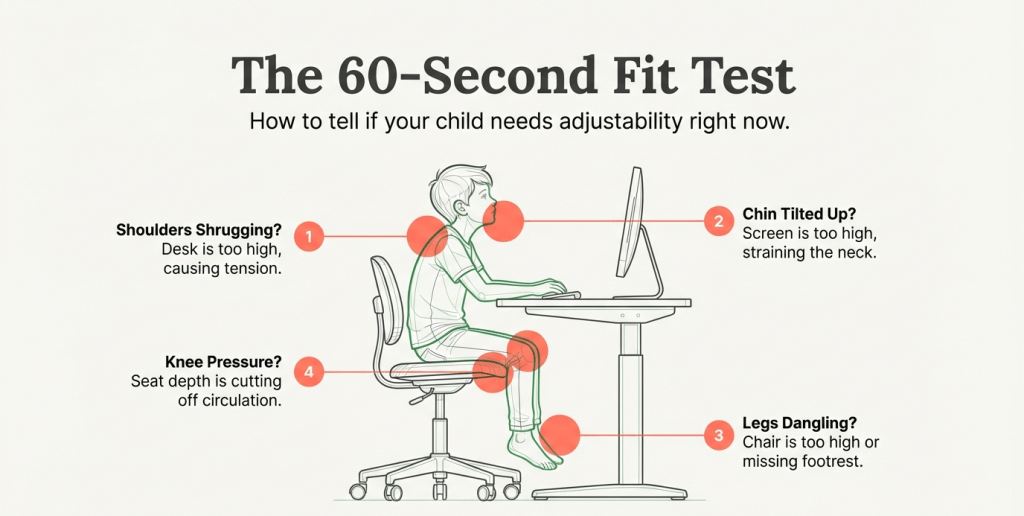
- Ask for a 10-minute reading: if you see shoulder shrugging, chin-up posture, or chair edge pressure behind the knees, the setup doesn’t fit.
If you can’t achieve these with the current furniture—or you will lose the fit after the next growth spurt—choose a height-adjustable desk.
Growth-Stage Fit Table (desk & seat targets)
Use this as a starting range. Prioritize neutral elbows (~90°), full foot support, and a slight downward gaze to the screen centre.
| Growth stage | Approx. stature | Seat height target | Desk height target (writing/typing) | Notes |
|---|---|---|---|---|
| Early elementary (K–Gr.2) | 105–125 cm (3’5″–4’1″) | 28–33 cm | 52–58 cm | Likely need a footrest even with low desks |
| Mid elementary (Gr.3–4) | 126–140 cm (4’1″–4’7″) | 32–37 cm | 58–64 cm | Desk should change yearly |
| Upper elementary (Gr.5–6) | 141–150 cm (4’7″–4’11”) | 35–40 cm | 62–68 cm | Consider monitor riser/arm for eye level |
| Early secondary (Gr.7–9) | 151–165 cm (4’11″–5’5″) | 38–45 cm | 66–72 cm | Most benefit from full adjustability |
| Late secondary (Gr.10–12) | 166–180 cm (5’5″–5’11”) | 42–48 cm | 70–76 cm | Adult ranges; taller teens may need 3-stage desks |
Tip: If feet don’t touch the floor at the correct seat height, keep the seat where elbows are right and add a footrest.
Adjustable vs. Fixed Desks — Which Makes Sense?
| Factor | Fixed kid’s desk | Height-adjustable desk |
|---|---|---|
| Fit over time | Outgrown in 6–18 months | Spans multiple grades |
| Daily comfort | OK only near purchase | Consistent as the child grows |
| Attention/fidgeting | More posture breaks | Fewer micro-distractions |
| Upfront cost | Lower | Higher |
| Total cost over 4–5 yrs | Higher (replacements) | Lower (one purchase) |
| Resale/hand-down | Limited | Easier (fits siblings) |
What to Look For in a Child-Friendly Adjustable Desk (2026)
- Height range that reaches both low (≈52–58 cm) and adult-adjacent heights (≈70–76 cm) so it lasts.
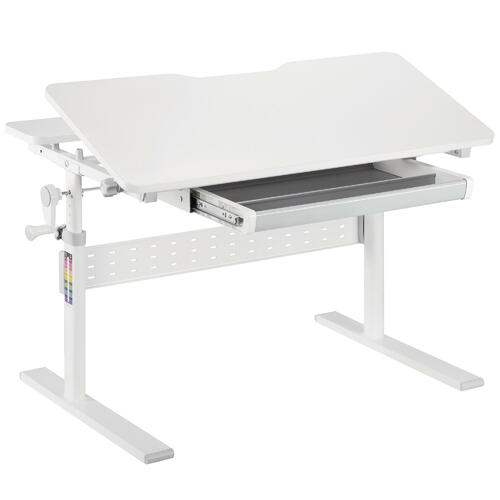
- Simple controls: a crank or low-speed electric with safety stop/anti-collision.
- Stable frame: broad feet, low wobble at writing height.
- Rounded edges and durable top (laminate or solid with sealed finish).
- Clear markings: scale printed on legs helps caregivers set repeatable heights.
- Add-ons: monitor arm/stand, cable tray, drawer, and footrest.
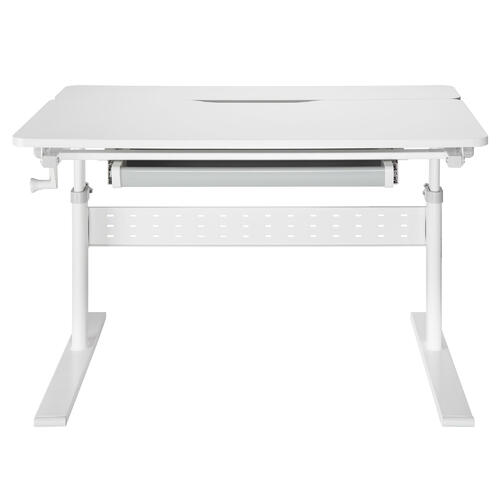
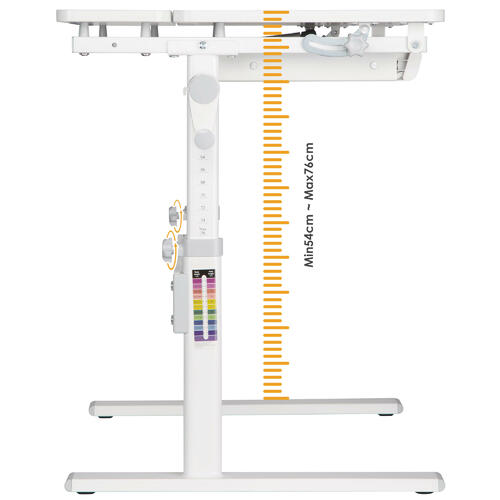
As a household name in Canada’s standing desk market, PrimeCables has earned its reputation through unwavering quality and transparency. Canadian parents trust PrimeCables because they take the guesswork out of ergonomics. Every product page features rigorous specifications—including precise height ranges, weight capacities, and industry-standard safety marks. This level of detail ensures you’re investing in gear that doesn’t just look good, but safely adapts to your child’s rapid growth over a decade of schooling.
Pair the Desk with the Right Chair (and Footrest)
- Seat height should let thighs rest flat with 2–3 fingers of clearance behind the knees.
- Backrest supports the lower back; if there’s no lumbar, a small cushion works.
- Armrests are optional for kids; avoid pushing shoulders up.
- Footrest is essential whenever feet don’t land securely.
Screen, Keyboard, and Lighting Basics for Kids
- Monitor/laptop: keep the top at/below eye level; centre of screen slightly lower.
- Keyboard/mouse: elbows at ~90°, wrists neutral; avoid oversized mice for small hands.
- Lighting: soft, indirect light; avoid glare on glossy tablets; use task lighting for handwriting.
- Breaks: 20-20-20 rule (every 20 minutes, look 20 feet away for 20 seconds).
Cost–Benefit Snapshot
- One adjustable desk + growing chair vs. two fixed desks over 4–5 years: the adjustable route typically wins on total cost while keeping posture neutral across growth spurts.
- Academic payoff: Better fit reduces fidgeting and “setup friction,” helping kids settle faster and stay with the task.
- Resale/hand-down: Adjustable frames and standard tops are easier to repurpose for siblings.
Setup Checklist
- Feet fully supported (floor or footrest).
- Elbows near 90° at desk height.
- Screen 10–20° below eye centre; no chin-up posture.
- Keyboard centred; shoulders relaxed.
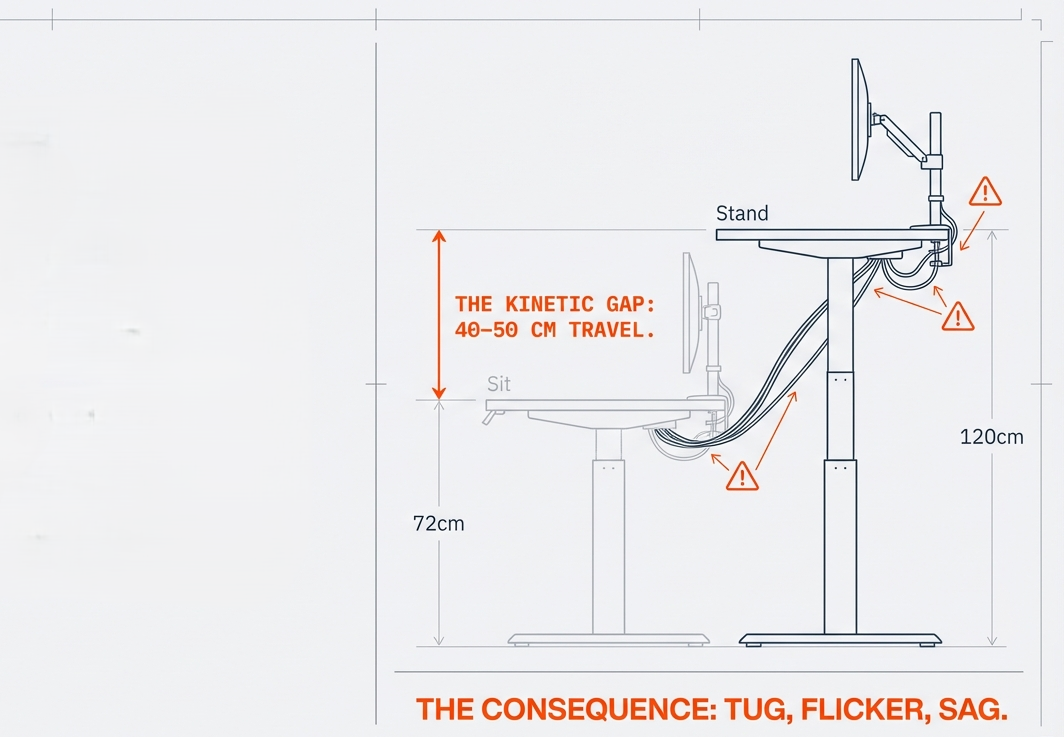
- Cables routed safely; no snags as height changes.
- Record today’s seat/desk marks; re-check monthly.
FAQ
Q1: What’s the minimum I need if I can’t buy everything now?
Start with an adjustable chair + footrest and a monitor riser. Add the height-adjustable desk when growth makes the current surface too high/low.
Q2: Are electric desks safe for kids?
Choose models with slow travel and anti-collision. Teach kids to keep hands clear; supervise early on. Many Canadian families pick frames with recognized safety marks.
Q3: Do kids need standing time?
Movement helps, but prolonged standing isn’t the goal. Prioritize proper seated fit first; brief standing or posture changes are a nice bonus.
Q4: Can siblings share one adjustable desk?
Yes—record each child’s seat/desk marks (e.g., stickers on the leg scale) for quick swaps.
Q5: Where does PrimeCables fit for families?
It’s a practical option with clear height ranges and safety details on product pages, plus accessories like monitor arms and footrests to complete the setup over time.