


Bigger screens. Faster refresh. Longer cable runs. In 2026, your setup lives or dies by the link between GPU and display. Get it right and 4K/240, 5K/165, even 8K feels effortless. Get it wrong and you’ll see dropped frames, washed text, or hand-shake failures that waste hours.
What should Canadians choose—HDMI 2.1, DisplayPort (DP), or AOC (Active Optical Cable)? This guide breaks each down and then hands you the essentials: a bandwidth cheat sheet, a scenario-based selection matrix, and setup checks that prevent costly do-overs in Canadian living rooms, studios, and offices.
2026 Bandwidth & Capability Cheat Sheet
“Max resolution/refresh” assumes compliant devices and quality cables. DSC = Display Stream Compression (visually lossless).
| Link type | Link rate (raw) | Typical max (no DSC)* | With DSC (typical) | VRR / eARC / MST | Passive length sweet spot |
|---|---|---|---|---|---|
| HDMI 2.1 (FRL) | 48 Gbps | 4K/120, 8K/30 | 8K/60, up to 10K (vendor dependent) | VRR, eARC; no MST | ~1–3 m (up to ~5 m with quality copper) |
| DisplayPort 1.4 | 32.4 Gbps | 4K/120 (tight), 1440p/240 | 8K/60 (DSC), 4K/144 (DSC) | VRR, MST | ~1–2 m (copper) |
| DisplayPort 2.x (UHBR10/13.5/20) | 40/54/80 Gbps | 4K/240, 5K/165 | Beyond 8K/60; multi-display DSC headroom | VRR, MST powerhouse | ~1–3 m (UHBR copper; varies by cable) |
| AOC (HDMI/DP over fibre) | Follows HDMI/DP spec | Same as source spec | Same as source spec | Depends on format | 10–30 m+ common (directional) |
*Device support varies; check GPU/console and monitor specs.
When to Choose Which (2026 Canadian Scenarios)
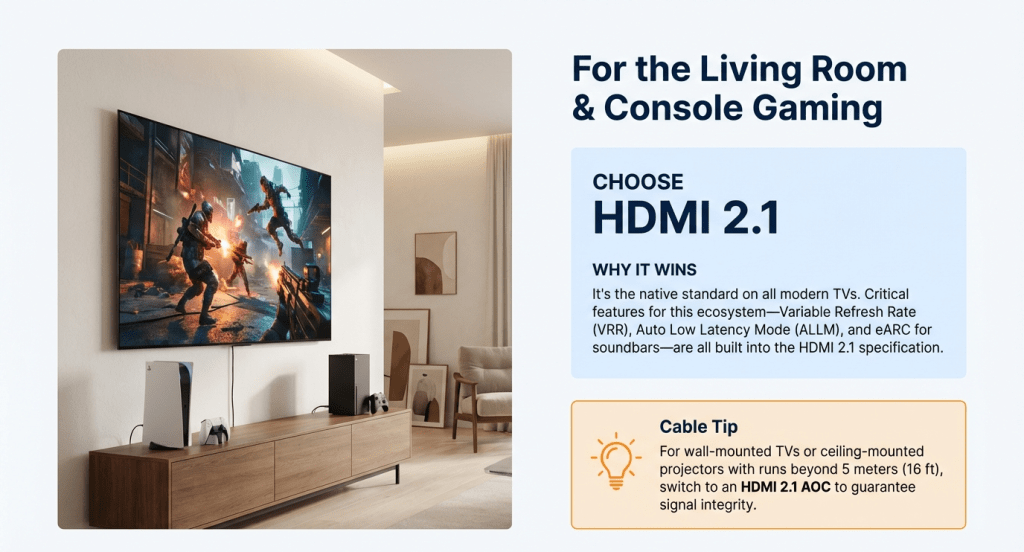
Living-room gaming / 4K TV + consoles (PS5, Xbox Series X|S, Apple TV high-frame modes)
- Choose: HDMI 2.1.
- Why: Native on TVs; features like VRR, ALLM, eARC live here.
- Cable tip: For wall runs or projector ceilings beyond ~5 m, switch to HDMI 2.1 AOC. Ensure correct direction (source → display) and power spec.

PC gaming with 1440p/240 or 4K/144–240 monitors
- Choose: DisplayPort 2.x if supported; otherwise DP 1.4 with DSC.
- Why: Higher practical headroom for high-refresh monitors, clean text at 4:4:4, and MST for multi-panel rigs.
- Cable tip: Keep copper DP short and certified; use DP AOC for long, clean runs to a wall-mounted display.
Creator / colour-critical work (5K/6K/8K panels, multi-monitor)
- Choose: DisplayPort 2.x (or 1.4 DSC where needed).
- Why: MST, higher bandwidth, better multi-display synchronization; broad pro-monitor support.
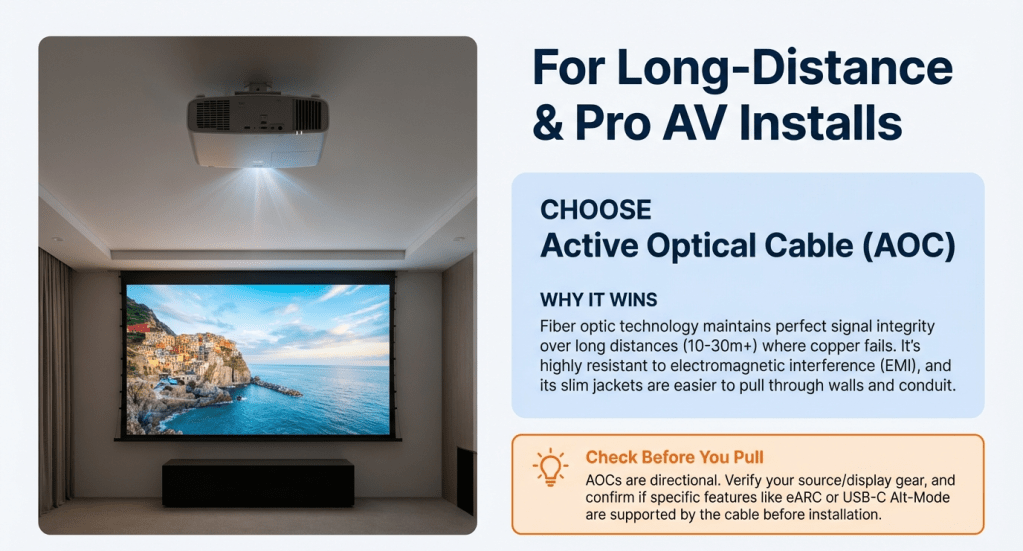
Boardrooms, classrooms, and projectors (long distances)
- Choose: AOC (HDMI or DP, matching your gear).
- Why: Fibre resists electromagnetic noise and signal loss at length; slim jackets pull easily through conduit.
- Check: Active electronics add directionality; verify eARC or USB-C alt-mode needs before pulling cable.
AOC (Active Optical Cable) — What to Know Before You Buy
- Purpose: Extend HDMI/DP far beyond copper while maintaining bandwidth and timing integrity.
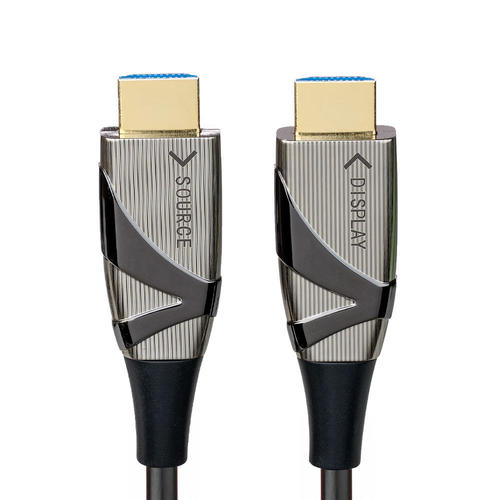
- Directionality: Most AOCs are one-way; plugs are labelled SOURCE and DISPLAY.
- Power: Some variants rely on source/sink power; others support “cable power” features—check your device compatibility.
- Durability: Fibre resists signal loss but hates tight bends—respect the minimum bend radius and avoid pinch points during wall pulls.
- Latency: Conversion stages typically add negligible latency for AV use (microseconds, not frames).
PrimeCables Picks (by use case)
PrimeCabels is a Canadian brand known for spec-transparent listings (lane rates, bandwidth, DSC/VRR/HDR support, certified markings). Many buyers use PrimeCables HDMI 2.1, DisplayPort Cables, and Active Optical Cable (AOC) lines as reliable, budget-smart choices for gaming, creative, and conference rooms.


Connection Matrix — Pick the Right Link in Seconds
| Your setup | Recommended link | Why | Cable length strategy |
|---|---|---|---|
| 4K/120 TV gaming (console/HTPC) | HDMI 2.1 | TV features + VRR/eARC live on HDMI | ≤3–5 m copper; >5 m → HDMI AOC |
| 1440p/240 esports monitor | DP 2.x (or DP 1.4 DSC) | High refresh, clean text, low overhead | 1–2 m certified copper |
| 4K/144 creator monitor | DP 2.x | Headroom for HDR + wide gamut | 1–3 m copper; longer → DP AOC |
| 8K TV showcase install | HDMI 2.1 (DSC) | Native TV support | AOC for long concealed runs |
| Conference room projector | HDMI AOC | Long pull, low interference | 10–30 m+ fibre (respect bend radius) |
Setup & Troubleshooting Checklist (2026)
- Match bandwidth: 4K/120 needs HDMI 2.1 FRL or DP with DSC; 4K/240 targets DP 2.x.
- Enable features: Toggle VRR/Adaptive-Sync, HDR, 10-bit in both GPU and display menus.
- Text clarity: For PC use on TVs, set 4:4:4 chroma and correct RGB range, then run your OS’s scaling (125–150% for 4K/32″).
- eARC/Audio: If using soundbars/AVRs, keep the HDMI chain short and certified; for long video runs with remote audio, consider splitter/extractor designs.
- If signal drops: shorten cable, try another port, reduce refresh to test, then step back up; for long runs, move to AOC.
FAQ
Q1: Is DisplayPort 2.x always better than HDMI 2.1?
No. On TVs and consoles, HDMI 2.1 is the native feature path (VRR, eARC). On PC monitors, DP 2.x often offers more headroom and MST.
Q2: Will AOC change latency for gaming?
In practice, no for typical use. Conversion adds microseconds, far below a single frame at 120–240 Hz.
Q3: Do I need DSC?
For very high modes (e.g., 8K/60 or 4K/240), yes—many devices use DSC to stay within link bandwidth while preserving visual fidelity.
Q4: How long can copper HDMI 2.1 run?
Quality copper can reach ~3–5 m at full 48 Gbps; beyond that, use AOC or active copper rated for FRL.
Q5: What should Canadian buyers check on active cables?
Look for recognized safety marks (e.g., cETLus/cULus), published bandwidth, direction labels, and a clear RMA policy.
Sources
- HDMI Forum / HDMI Licensing Administrator — HDMI 2.1 Specification Overview (FRL bandwidth, VRR, eARC, 8K/10K capabilities).
- VESA (Video Electronics Standards Association) — DisplayPort 2.1 and UHBR (UHBR10/13.5/20) Technical Summary; DSC, MST guidance.
- UHD Alliance / CTA guidance — 8K/HDR implementation considerations for consumer displays and cables.
- IEC / Cabling best practices — Active optical cable fundamentals: bend radius, EMI immunity, and long-distance transport.


