


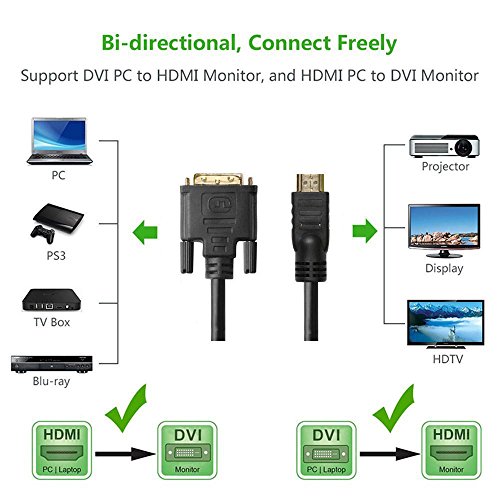
Just like other cable types, DVI cables come in a wide range of different types and there’s nothing more frustrating than finding out you have the wrong one. Among the most commonly used types of DVI cables, there is DVI-I single link, DVI-I dual link, DVI-D single link, DVI-D dual link, and DVI-A.
The differences between DVI cables begins with comparing dual link cables against single link cables. Dual link DVIs are designed to double the power of transmission, increase speed, and provide a better signal quality than single link can. More high resolution monitors and devices require dual link cables, which are needed if one intends to run them at their highest resolution.
In choosing a DVI cable, in part, your options come down to what type of display you have. DVI-A, priced starting around $3.49 per cable, are designed specifically for analog monitors and with compatibility across former VGA devices. For older monitors that are not digital, DVI-A may be the recommended option.
Then, there’s DVI-I which begin around $4.27 per cable price-wise and which are meant for both digital and analog monitors. With DVI-I, there are single link and dual link options. Higher resolutions are somewhat limited however dual link provides better support with bandwidth up to 9.9 Gbps.
Between the three DVI types, the most popular of all these are DVI-D which come in both single link and dual link. The pricing for DVI-D generally starts around $5.99 per cable. For digital displays online, DVI-D is where to go to receive the best signal, communicated from a digital source to a digital display. Bandwidth on a single link reaches 4.85 Gbps and for a dual link, up to 9.9 Gbps. For DVI-D dual link, the specifications are equal to and sometimes better than HDMI 1.4 impressively.
The DVI cables mentioned here contain some of the highest quality cable technology available in the general consumer marketplace, exceeding the limitations of VGA, HDMI 1.4a, DL-DV, and SL-DVI. The only cables that succeed DVI-D are Display Port 1.2 and Display Port 1.1a.
Setting up a screen for your computer, a second screen for your laptop, or getting your home entertainment center going is no easy task. Choosing the right DVI cable ensures you don’t need to struggle with any adapters or anything pointlessly complex. Look for the DVI cable that best suits your needs. Be sure to pay attention to the maximum resolution that a cable can support and ensure it lines up appropriately with the monitor you’ve bought.
For more information on how to choose a DVI cable and the differences between them, be sure to visit Prime Cables. With regular coupons and promotional deals, Prime Cables is a top Canadian brand sharing some of the best deals on DVI cables and more.


