Elevate your home entertainment center by mounting your flat screen TV and instantly see a difference. For consumers looking for simple, easy ways to take their viewing experience to the next level without breaking the bank, a TV wall mount is a recommended way to do so.
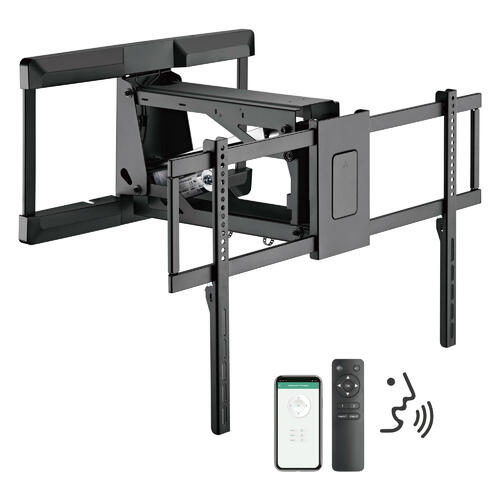
The first step before we even get going on how to mount a flat screen TV is to ensure you’ve selected and purchased the right TV wall mount. There are numerous wall mount types to consider, including those that remain stationary, keeping the TV against the wall. Then, there are adjustable swivels, mounts that allow a consumer to angle the TV to where they see fit, and even those that rotate three hundred and sixty degrees. Depending on the space you intend to mount your flat screen TV and budget, one option may appeal to you more than others.
Next, choosing the location for your flat screen and considering viewing height is a must. Consider cutting out a piece of cardboard about the size of your TV and hanging it in the desired location. Test it out from where you would normally view your TV. Try out a few other locations to see how things feel. Look for some place where there is no glare from the window and where it’s an appropriate distance from an electrical outlet. When you have a location selected and you’re good to go on that end, finding the studs in the wall are next. Using a stud finder typically works great. What you want to do here is to locate two studs which will be used to support the weight of your TV wall mount. Mark the location of the studs with a pencil and then, lightly mark where the corners of your TV will be, to give a good indication on where everything is to be placed.
Next, position the wall mount and use a level to make sure it is even. After you confirm the wall mount’s placement, use a power drill to drill pilot holes for the wall bracket screws. Then, hold the mount against the wall and drill the screws to attach.
After the mount is up, the next step is to attach the mounting plate to the TV. Locate the mounting holes on the back, attach the mounting arms as needed, and carefully tighten in the screws. The last step is then to mount the TV to the wall, ensuring everything is secure. It’s always recommended to do this final step with another person to help in interlocking the brackets and preventing injuries that may occur. Then, check to ensure all points of connection are locked.
It’s as easy as that. Be sure to work with a friend from the early stages of how to mount a flat screen TV to the last few steps. By having someone else there, they can help with lifting and keeping things centered.