'/%3E%3C/svg%3E)
'/%3E%3C/g%3E%3Cuse%20x='525'%20href='%23b'/%3E%3C/g%3E%3Cuse%20y='375'%20href='%23c'/%3E%3C/svg%3E)

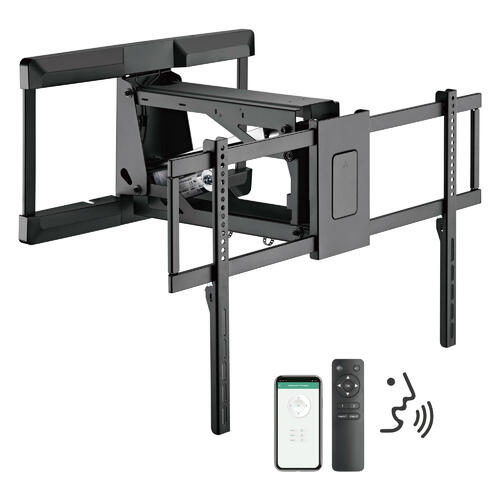
A heavy-duty tilt, curve, and flat-panel TV wall mount is a clear, smart, and immersive way to watch media.
Lift your flat-screen. Make it flush with the wall. Secure it in place. Free up space in the room to make use of it how you see fit. Pretty straightforward but there are a few extra steps to take in mounting a TV.
There is a right way and a wrong way to do it. This is how you mount a TV the correct way.
Get the Right Type of TV Wall Mount
Every TV wall mount has limitations. Two in mind are weight and size. Don’t force a heavy flat-screen on a mount that isn’t ready to handle with it. Adhere to the weight range.
Know Your VESA Flat-Screen Standard
Also, regarding size, every TV has what are called VESA measurements. These are the mounting holes in the back of a flat-screen. Find out the VESA specifications for your flat-screen. They should match to your TV wall mount. If they do not match, you won’t be able to mount your screen.

Use Your TV Wall Mount As Intended
Don’t try to be unique with how you mount your TV. Your wall mount should be used as intended. Don’t be tilting a mount that doesn’t tilt or trying to move your flat-screen in unnatural ways. A person can end up ruining the safety and security built into the design.
Hide the TV Audio-Video Cables
When you mount a screen, you’ll have any device cables – i.e. HDMI – hanging down. Some home theater builders purchase a vertical channel in which they put their cables so that they aren’t totally unsightly. Minimum, tape them to the wall so that the cables are secured and not a risk.
Position Your TV At A Comfortable Height
Cut out some cardboard the size of your flat-screen. Position it in various places on the wall. Consider the different placements and what’s natural to you according to where you intend to sit. Most people will want to position their screens a little lower than they probably think.

Make Sure to Use the Studs
A tilting TV wall mount or any type of mount should be nailed into the studs in the wall. A stud finder can find the studs for you behind the plasterboard. A stud finder can also let you know where pipes and wiring are. This will help you avoid accidental damage as you drill into the wall.
Consider Your Speakers
Now that you have mounted your TV, if you want to take things to the next level, consider your speakers. Mounting your speakers on the wall works. In-wall speakers are also an option. A set of speaker stands are an alternative as well.
Once you have your TV wall mount, think about other ways you can heighten the appeal of your home theater system. Visit PrimeCables.ca today for more information.