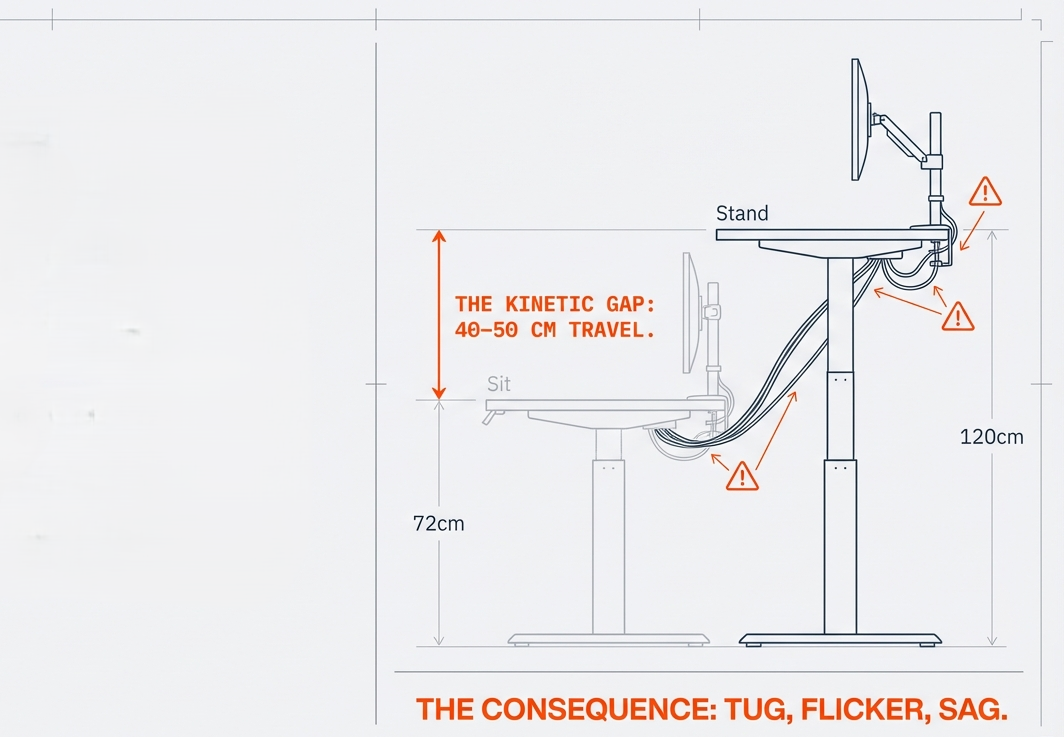
Modern work has changed dramatically. We switch between apps, devices, windows, and tasks faster than ever — yet most desks still look like they were built for a single computer tower from 2008.
If your setup feels cramped, your neck gets tired, or you constantly re-arrange screens to stay comfortable, the problem is usually not the devices — but how they are positioned.
A monitor mount solves three workstation problems instantly:
| Core Problem | What Happens | How a Monitor Arm Fixes It |
|---|---|---|
| Poor Viewing Posture | Neck tilt, shoulder tension, back stiffness | Raises screens to eye-level; keeps spine neutral |
| Cluttered Desk Space | Keyboard too close, no writing space, messy cables | Lifts screens off the desk; opens clear workspace |
| Multi-Device Chaos | Laptop + display competing for space, awkward angles | Allows coordinated, ergonomic multi-screen layout |
So instead of forcing your body to adapt to your desk — you let your desk adapt to you.
Below are five tested, reliable monitor arms from PrimeCables®, each chosen for a different type of workstation.
Our Top Picks at a Glance
| Model | Best For | # of Screens | Screen Size Support | Notable Strength |
|---|---|---|---|---|
| Heavy-Duty Dual Monitor Desk Mount | Dual monitor productivity setups | 2 | 17″–27″ | Strong balance of support & flexibility |
| Monitor + Laptop Combo Arm | Monitor + laptop hybrid workflows | 1 Monitor + Laptop | 13″–27″ | Enables eye-level laptop use |
| Full-Motion Dual Monitor Mount | Larger dual-monitor setups | 2 | 17″–32″ | Future-proof for screen upgrades |
| Single Gas Spring Monitor Arm | Minimalist single monitor setups | 1 | 13″–27″ | Clean, compact, smooth gas-lift movement |
| Premium Heavy-Lift Single Arm | Creative pros, large monitors | 1 | 17″–32″+ | Higher stability for heavier displays |
1) Heavy-Duty Dual Monitor Desk Mount

Why It Solves the Problem
Dual monitors are one of the simplest ways to improve workflow efficiency — but only when both displays are aligned, level, and easily adjustable. This mount makes that effortless.
Benefits
- Both screens always match height → no neck twisting
- Arms move smoothly → changes position as you work
- Clears the desk → more space for keyboard, notebook, tablet
Pros
- Stable, gas-spring motion feels premium
- Easy to adjust screen height, angle, and distance
- Built-in cable channels reduce visual clutter
Cons
- Best for monitors under 27″ — larger screens need the model below
Best For
Office productivity, coding + research, spreadsheets + reference work.
2) Monitor + Laptop Combo Arm
Why It Solves the Problem
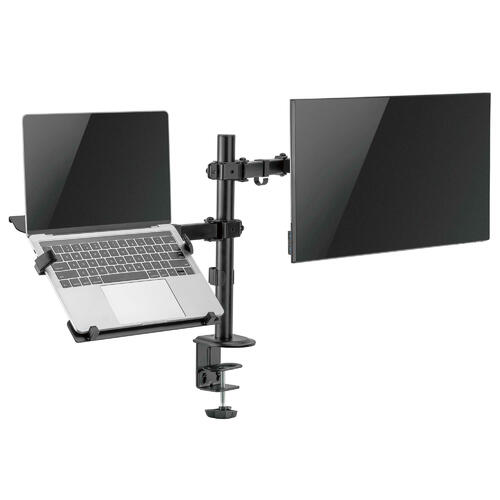
Many remote workers use a laptop + monitor combo — but laptops sitting flat on a desk force a hunched position. This mount lifts the laptop to eye level, eliminating the “tech neck” slouch instantly.
Benefits
- Laptop becomes just as ergonomic as a desktop
- Frees desk space under the laptop tray
- Ideal for multitasking Zoom + docs + browser workflows
Pros
- Two devices, one mounting point → minimal footprint
- Fits most laptops including 13″–16″ sizes
- Great for dynamic sit-stand desk setups
Cons
- Must ensure laptop tray size matches your device
Best For
Hybrid workers, remote work, university students, traveling professionals.
3) Full-Motion Dual Monitor Arm
Why It Solves the Problem
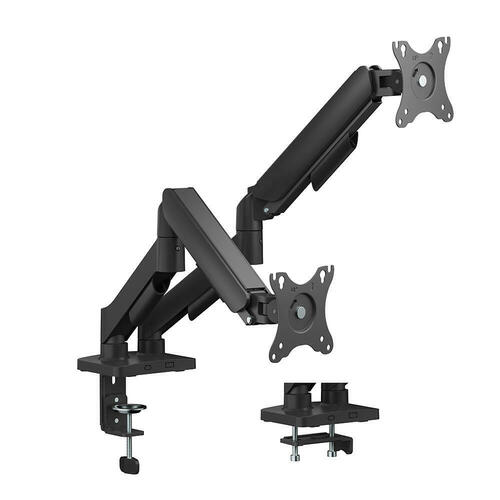
Increasingly, people are using 27″–32″ screens for editing, finance, data visualization, and workstation use. This mount supports heavier + wider screens without sagging.
Pros
- Future-proof for monitor upgrades
- Independent movement for each arm = more flexibility
- Excellent stability even with heavier monitors
Cons
- Requires a firm desk surface for clamp stability
Best For
Designers, analysts, programmers, creators upgrading screen sizes.
4) Adjustable Gas Spring Single Monitor Arm
Why It Solves the Problem
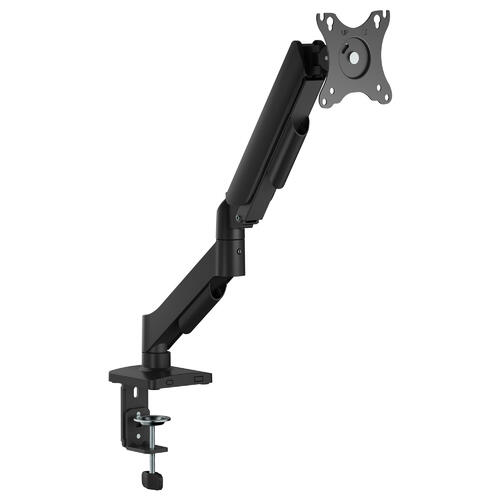
A perfect entry-level ergonomic upgrade — simple, compact, and gets the monitor out of the way.
Pros
- Smooth up/down adjustment for posture correction
- Small footprint improves desk clarity
- Ideal for small desks or tight corners
Cons
- Not suitable for very large or ultrawide monitors
Best For
Clean minimalist setups, study desks, bedroom / home office workstations.
5) Heavy-Duty Single Desktop Monitor Mount
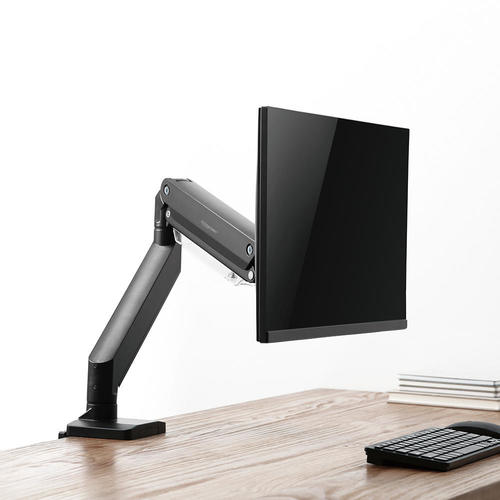
Why It Solves the Problem
When stability matters (photo editing, CAD, Figma, Premiere), this arm holds larger monitors rigid and wobble-free.
Pros
- Stronger tension system for heavier screens
- Excellent for precision viewing workflows
- Highly adjustable — rotate, tilt, raise, pivot
Cons
- Slightly higher price, but justified by durability
Best For
Creators, engineers, video editors, color-critical work.
Black Friday 2025 Monitor Arm Comparison — Save Up to 54%
| Product | Description | Retail Price | Black Friday | Discount | Shop |
|---|---|---|---|---|---|
| Premium Single Arm for Heavy Displays | Stable, higher-capacity single arm for large/ultrawide monitors; great for design, video editing, and long sessions where wobble control matters. | $89.95 | $59.95 | 33% | Shop now |
| Dual Monitor Heavy-Duty Arm (17–27″) | Gas-spring dual arm that keeps two displays aligned at eye level; boosts multitasking productivity and frees up desk space. | $49.95 | $26.95 | 46% | Shop here |
| Monitor + Laptop Combo Mount | Lifts both monitor and laptop to eye level; ideal for hybrid WFH workflows, reducing neck strain while clearing space under the tray. | $69.95 | $31.95 | 54% | Shop here |
| Full-Motion Dual Arm (17–32″) | Future-proof dual-display solution with independent movement and stronger support for larger screens (up to 32″). | $99.95 | $54.95 | 45% | Shop here |
| Gas Spring Single Arm (13–27″) | Compact, smooth gas-lift single arm for minimal desks and study setups; simple posture upgrade with small footprint. | $49.95 | $29.95 | 40% | Shop here |
Final Takeaway
A monitor arm isn’t just a “desk accessory” — it’s a health tool, a workflow upgrade, and a space-efficiency solution.
Once your screens lift off the desk:
- Your body relaxes
- Your desk opens up
- Your work feels more natural
The right setup doesn’t just look better — it feels better, every day.