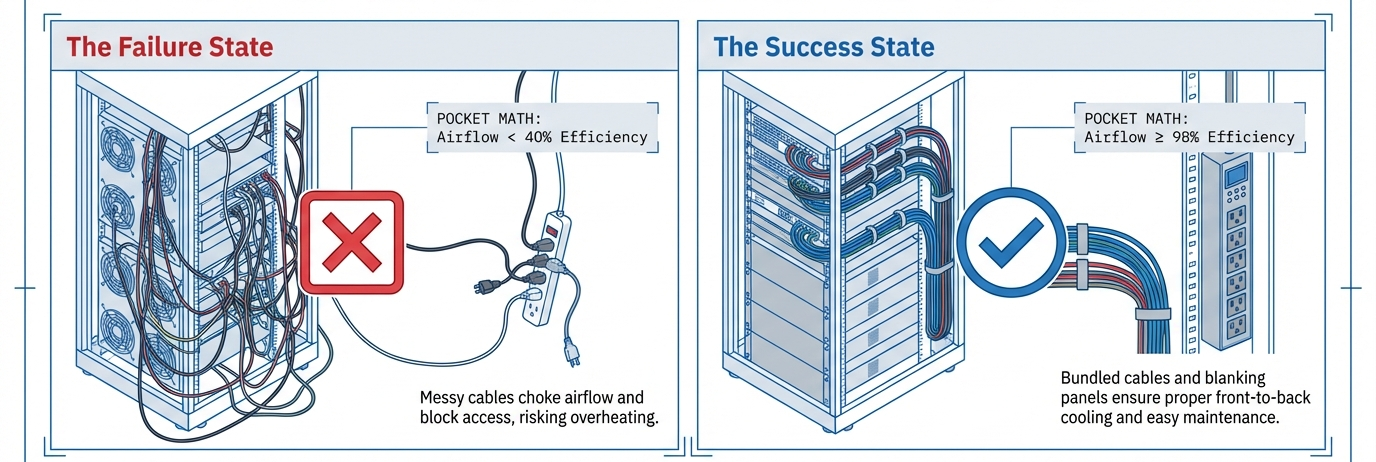
Power bars and surge protectors feel like “set and forget” hardware—until a cheap strip or a bad setup quietly cooks your laptop, trips a breaker, or, in the worst case, helps start an electrical fire.
In Canada, misuse of power strips and extension cords shows up regularly in fire investigations and safety advisories, which is why organizations like Health Canada, CCOHS, and provincial safety authorities keep publishing reminders on how to use them properly.
This guide walks through seven common power strip mistakes that can damage your devices or create fire risk, plus practical safety tips tailored to Canadian homes and offices.
Quick Safety Snapshot for Canadian Homes & Offices
Before we dive into the mistakes, do a fast self-check:
- Does your power bar have a CSA, cUL, or other recognized certification mark on the cord or housing?
- Is it plugged directly into a wall outlet, not into another strip or an extension cord?
- Are you using it mainly for low–to–moderate wattage devices—computers, monitors, chargers—not heaters or microwaves?
- Is the strip visible, dry, and off the floor, not buried under rugs, furniture, or dust?
- Does it feel cool or only slightly warm to the touch, with no scorching, smell, or loose outlets?
If any of those points fail, chances are you’re making one of the seven mistakes below.
Mistake 1: Overloading the Power Strip
A typical indoor power strip on a 15 A / 120 V household circuit in Canada is effectively limited to about 1,800 W (15 A × 120 V). A single space heater can draw 1,500 W by itself. Add a laser printer or kettle to the same strip and you’re right at—or over—the safe limit.
Why it’s risky
- Excess current causes excess heat in the strip, cord, and plug.
- Low-quality strips may use thin conductors that heat up even earlier.
- Breakers and internal fuses might trip, but not always early enough to prevent damage.
Safer practice in Canada
- Add up the wattage on device labels and stay comfortably below the strip’s maximum rating (often printed as “15 A / 125 V / 1875 W”).
- Don’t treat unused outlets as “free power”; think in watts, not in socket count.
- If a strip frequently runs near its limit, the solution is better circuit planning or extra outlets, not adding more power bars.
Mistake 2: Daisy-Chaining Power Strips and Extension Cords
“Daisy-chaining” means plugging one power strip or extension cord into another to gain more outlets or reach. Canadian safety authorities, universities, and insurers are remarkably consistent on this: don’t do it.
Why it’s risky
- Each extra strip or cord adds resistance and heat.
- The first strip in the chain may quietly become overloaded, even if each individual bar looks lightly used.
- It becomes hard to see the true total load, so people unknowingly exceed ratings.
Safer practice in Canada
- Plug power bars directly into permanently installed wall outlets—no other strips or cords between.
- If you need both reach and multiple outlets, use a single, heavy-duty extension cord rated for the load, or talk to a licensed electrician about adding outlets instead of chaining strips.
Mistake 3: Running High-Wattage Appliances on Power Bars
Space heaters, portable AC units, kettles, microwaves, toasters, and fridges/freezers draw a lot of power and often run for long periods. Safety bulletins across Canada explicitly warn against using power strips for these high-wattage or “always-on” loads.
Why it’s risky
- These devices can overheat cords and strips, even if the nameplate ratings look “within limits”.
- Motors (fridges, freezers, pumps) draw extra current on startup, which can stress contacts and wiring.
- Long-term heavy loads shorten the life of both the strip and the appliance.
Safer practice in Canada
- Plug space heaters, kettles, microwaves, fridges, freezers, portable AC units and similar loads directly into wall outlets, not into power bars.
- If your layout only “works” with a heater on a power strip, that’s a sign you need a different circuit or outlet location—not a bigger strip.
Mistake 4: Using Non-Certified or Counterfeit Power Strips
Very cheap power strips from unknown brands or marketplaces may lack proper Canadian certification. Technical Safety BC, Health Canada and other regulators flag non-approved bars as shock and fire hazards, especially when imported online.
Why it’s risky
- No guarantee the product meets Canadian Electrical Code or CCPSA requirements for construction and safety.
- Undersized wiring, weak springs in outlets, and brittle plastic housings can fail under load, damaging devices or starting fires.
Safer practice in Canada
- Look for recognized marks such as CSA, cULus, or other accredited certification logos on the cord or housing, not just “CE” printed in small letters.
- Avoid strips with no visible certification mark, especially for computers, TVs, and networking equipment.
Mistake 5: Treating a Basic Power Bar as a Surge Protector
Not all power bars are surge protectors. A plain bar only multiplies outlets; a surge protector is designed to clamp voltage spikes that could damage electronics during storms, grid switching, or local faults.
Why it’s risky
- Sensitive electronics—PCs, servers, consoles, TVs, NAS units—are vulnerable to transient overvoltage.
- A basic strip offers no surge protection at all, even if it has a switch and indicator light.
What to look for
- Wording like “surge protector” or “surge-protected power bar” in the description.
- Compliance with a surge standard such as UL 1449 for surge protective devices (SPD), which focuses on clamping performance and safety.
Safer practice in Canada
- Use certified surge-protected power bars for computers, home theatre, routers, and gaming setups.
- Replace surge strips periodically (e.g., every few years or after major power events), because their internal components degrade with each surge they absorb.
Mistake 6: Using Indoor Strips in Damp, Outdoor, or Hidden Locations
It’s tempting to hide strips behind furniture, under rugs, or drag an indoor power bar onto a balcony “just this once.” Safety guidance is clear: water, dust, and concealed cords don’t mix well with electricity.
Why it’s risky
- Moisture and condensation can cause short circuits, arcing and corrosion.
- Under rugs or heavy furniture, heat can’t dissipate and the cord insulation can break down.
- Hidden strips are harder to inspect for damage or overheating.
Safer practice in Canada
- Use outdoor-rated, weather-resistant products only where the manufacturer explicitly allows it, and keep connections off the ground when snow or slush is present.
- Never run power strips or cords under rugs, doorways, or furniture; reroute them along baseboards or use visible cord covers instead.
Mistake 7: Ignoring Wear, Damage, and Trip Hazards
Power strips and surge protectors wear out. Internal parts age, springs loosen, and cord jackets crack. Canadian ergonomics and safety programs advise checking power bars and cords routinely and replacing them as soon as damage appears.
Warning signs
- The strip feels hot, discoloured, or gives off a burning or melting smell.
- Loose outlets where plugs wobble or fall out easily.
- Cracked housings, frayed or pinched cords, or taped repairs.
- The built-in breaker never trips, even when you’re clearly overloading it.
Safer practice in Canada
- Make an annual habit (e.g., every fall) of inspecting all power bars at home and in the office.
- Replace any strip that shows damage, overheating, or very old construction—treat them as consumables, not lifetime wiring.
How to Choose a Safer Power Strip in Canada
To protect both your devices and your home, it helps to read a power strip’s specs the way an electrician would. You don’t need to become an expert—just follow a short checklist and use real product pages as concrete examples.
1. Start with certification
In Canada, the first filter is simple: only use strips with a recognized safety mark such as CSA or cUL/cETL on the cord, plug, or housing. If you can’t see any certification in the photos or on the physical device, it’s safer to pass.
2. Check the electrical rating, not just the outlet count
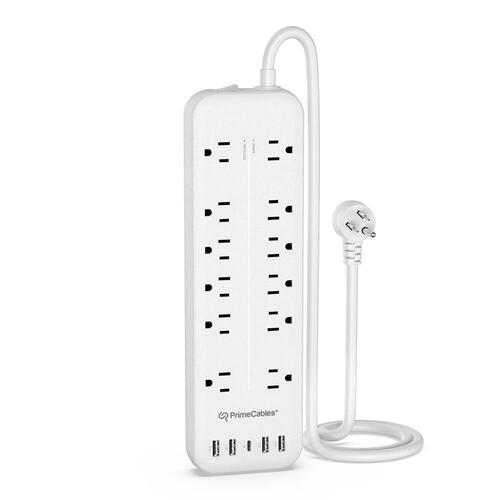
Most Canadian homes run on 15 A / 120 V circuits, so you’ll usually see strips rated around 15 A / 125 V / 1,800–1,875 W. Add up the wattage of everything you plan to plug in and make sure you’re comfortably below that limit, especially if you’ll leave devices on for long periods.
That same 12-outlet strip is a good example of how “lots of outlets” doesn’t mean “unlimited power”: you still need to respect the 15 A / 125 V rating printed on the label, even if there are spare sockets left.
3. Decide when you really need surge protection
For phones, laptops, PCs, consoles, TVs, modems and NAS drives, a surge-protected strip is usually the better choice. On a product page, look for:
- The words “surge protector” or “surge-protected power bar”
- A mention of surge standards (e.g., UL 1449) and a joule rating
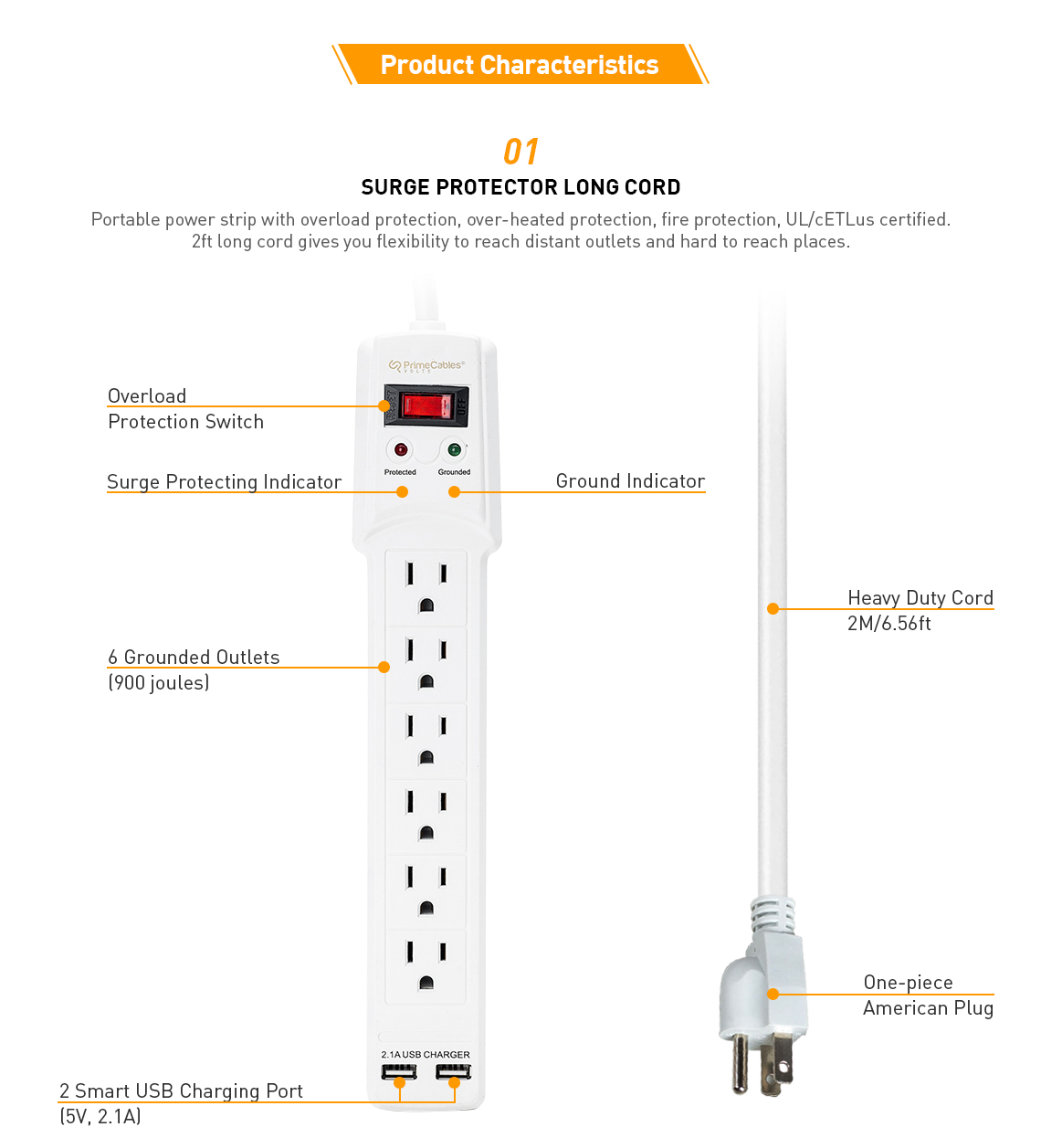
For example, that 6-outlet desk strip with USB and a 2 m cord is clearly described as a surge protector; you can use its spec section to practice spotting the surge rating, the maximum load, and the safety marks.
4. Think about layout, cord length and USB in real spaces
Once safety boxes are ticked, you can think about usability:
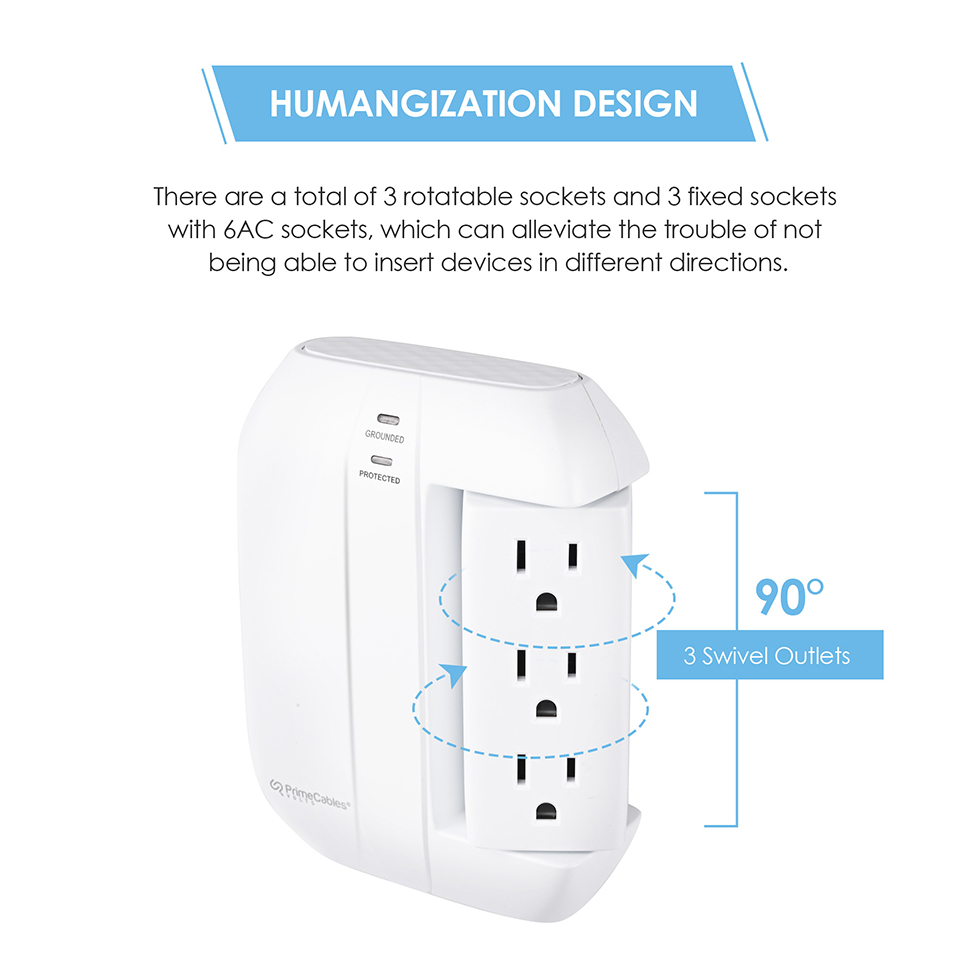
- Outlet spacing matters if you have chunky chargers or wall warts. A 12-outlet bar under a desk gives you room to spread them out; a compact 6-outlet wall unit with swivel sockets is more practical in a tight media corner.
- Cord length should reach your actual setup without needing an extra extension—shorter is tidier and safer for heavy loads, but too short forces bad routing. The 2 m (6.56 ft) cord on the 6-outlet USB strip above is a good example of a desk-friendly length.
- USB / USB-C ports reduce the number of separate chargers you plug in, which can free up outlets and cut clutter.
You can see how different layouts target different use cases if you compare a wall-mounted 6-outlet surge unit with swivel outlets to that under-desk 6-outlet strip with USB and a longer cord. The first solves the “tight outlet behind furniture” problem; the second solves the “my desk is far from the wall” problem.
5. Keep high-wattage appliances on the wall
Even if a strip is properly rated, space heaters, kettles, microwaves, toasters, fridges and portable AC units are best plugged directly into wall outlets. Use power strips—surge-protected when needed—for electronics, chargers and lighter loads instead.
When you browse any product page, mentally put each device into one of two buckets:
- Wall-outlet only: heaters, large kitchen appliances, fridges, AC units
- Okay on a power strip (within rating): computers, monitors, routers, lamps, chargers
Apply that division first, then use the checklist above and the kind of real-world examples linked here to decide which strip actually fits your room, your gear and your safety requirements.dges, and portable AC units are better on direct wall outlets. Leave the power strip for electronics, chargers, and other lower-wattage devices.
FAQ: Power Strips, Surge Protectors & Safety in Canada
Q1. Are power strips safe to use with computers and TVs?
Yes—if they are properly certified, not overloaded, and used in a dry, ventilated location. For electronics, a surge-protected power bar tested to a standard like UL 1449 is generally safer than a basic strip, because it helps clamp voltage spikes from storms or grid disturbances.
Q2. Can I plug one power strip into another?
No. Plugging one power strip or extension cord into another (“daisy-chaining”) is strongly discouraged by safety authorities because it can overload the first strip in the chain and increase fire risk. Power strips should be plugged directly into a wall outlet, not into each other.
Q3. How many devices is “too many” for one power strip?
Count watts, not just plugs. On a typical 15 A / 125 V strip in Canada, you want the combined load to stay well below about 1,800–1,875 W. High-draw devices (laser printers, some amplifiers) can quickly eat up that budget. If you’re consistently near the limit, the safer answer is more circuits/outlets, not more strips.
Q4. Is it okay to use a power bar with a space heater or microwave?
No. High-wattage appliances—space heaters, kettles, toasters, microwaves, portable AC units, fridges and freezers—should be plugged directly into permanently installed wall outlets, not into power bars or extension cords. Running them through strips increases the chance of overheating and damage.
Q5. What safety marks should I look for in Canada?
Look for recognized certification marks such as CSA, cULus, or other accredited logos on the product and plug. These indicate the device has been evaluated against Canadian or North-American safety standards. Avoid strips with no visible approval mark, especially for electronics.