“Cheap” USB-C cables get a bad reputation because many failures are caused by low-end construction—frayed strain relief, loose connectors, or power drop that quietly kills fast charging. But price alone is a weak predictor. Some low-priced cables are cheap because of shorter length, simpler packaging, direct-to-consumer distribution, or fewer middlemen—not because they’re poorly built.
So the real question in 2026 isn’t “cheap vs expensive.” It’s:
Can you identify a cable that’s both affordable and built/spec’d correctly—so replacement rates stay low?
This article explains what usually goes wrong, what test data suggests about durability, and where Canadians can reliably find “cheap but good” USB-C cables.
What “Failure” Means
USB-C cable problems typically appear in three forms:
- Hard failure: charging cuts out, device disconnects, or cable becomes unusable.
- Soft failure: charging still works, but fast charging disappears, data drops, or it becomes positional (“works only if I bend it”).
- Capability mismatch: fine for a phone, not fine for a laptop or 10Gbps data—because the cable was never designed for it.
Soft failures drive a lot of “mystery replacements,” which is why long-term cost often rises without people noticing.
Failure Data You Can Actually Use: Bend Testing
One of the most practical public durability datasets is Consumer Reports’ bend testing: cables repeatedly bent until they fail. Their results showed huge spread—some cables started failing around ~700 bends, while two models survived 11,500 bends (Consumer Reports estimated that could be more than six years in their usage model).
That doesn’t mean every cable will last exactly X years. It means build quality differences show up fast under stress—and those differences predict replacement risk.
Durability signal chart (rule-of-thumb)
11,500 bends (top performers) ██████████████████████ Lowest replacement risk 5,000–10,000 bends ████████████████ Moderate risk ~700–1,500 bends ██████ High risk (frequent swaps)(Source: Consumer Reports bend testing, Updated: 2023-12; Accessed: 2026-02.)
Why “Cheap” Sometimes Fails—and Sometimes Doesn’t
When cheap cables fail more often
- Weak strain relief (the cable breaks near the connector first)
- Thin conductors → voltage drop → slow charging
- Unclear specs (no stated data rate / power support)
- Inconsistent markings (hard to verify what it really supports)
When cheap cables can be good value
- Sold direct-to-consumer with low overhead
- Basic but honest spec: “1m, 10Gbps, USB-C to USB-C”
- Correct safety components (important for certain USB-A ↔ USB-C cases)
- Marked properly and built consistently
PrimeCables USB-C 3.1 to USB-C Gen 2 cable (1m) lists up to 10Gbps and aluminum alloy connector, and calls out a 56K ohm pull-up resistor plus “quick charging.”
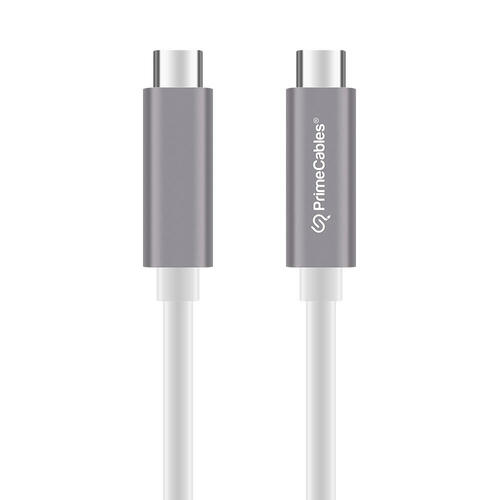
The point isn’t that one specific cable is “best.” It’s that clear, checkable specs are what separate “cheap but good” from “cheap and random.”
The Big Trap in 2026: “USB-C” Doesn’t Tell You Power or Speed
A cable can be USB-C shaped and still be:
- data-only, charge-only, USB 2.0 speeds, 10Gbps, 20Gbps, or USB4
- 60W, 100W, or 240W-rated (depending on design and compliance)
For higher-capability cables, markings matter. USB-IF has formal cable logo requirements: USB-C to USB-C cables in the compliance program are required to use the appropriate approved logo on the cable (embossed/printed) and labeled for data rate and power wattage.
And at the high-power end, EPR (240W) cables require E-markers, with specific testing/safety considerations.
Where to Find Cheap and Good USB-C Cables in Canada
Here are the best “quality-per-dollar” routes, in order:
1) Use USB-IF’s certified product database (best for avoiding nonsense)
If you want the highest confidence, search USB-IF’s product listings and look for cables that match the power/speed you need. This is especially helpful for USB4 / high-speed / higher-wattage scenarios.
How to use it (quick):
- Search by brand/model where possible
- Filter by date if needed
- Then verify the cable’s packaging/cable markings match the listing
2) Direct-to-consumer Canadian sources with clear specs (value route)
This is where “cheap doesn’t mean bad” is most likely to be true: lower price because of distribution efficiency, not corner-cutting.
- Look for listings that explicitly state length + data rate (e.g., 10Gbps) + charging intent
- Bonus points for build details (connector housing, strain relief, jacket type)
Your referenced example fits this “clear spec at a lower price” profile: 1m, up to 10Gbps, aluminum alloy connector, plus stated safety component. (Source: Internal Product Data, Updated: 2026-02.)
3) Major Canadian retailers (easy returns, mixed value)
Big retailers can be a safe choice because:
- returns are simpler
- listings often include basic spec claims (sometimes even “10Gbps”)
But you still need to watch for vague descriptions that say “fast” without stating power/speed.
4) Marketplaces (only if you’re willing to verify carefully)
Marketplaces can be fine—if you verify:
- clear wattage/data claims
- consistent branding
- correct markings
- credible seller history
If specs are vague, the “cheap” deal often becomes “replace it soon.”
A Simple Replacement-Cost Model (Canada 2026 Calculator Box)
Inputs (CAD):
- Cheap cable price Pc
- Better cable price Pb
- Cheap replacements/year Rc
- Better replacements/year Rb
- Years Y (use 2)
- Optional “hassle cost per failure” H (time + debugging + trip cost)
Total cost (TCO):
- TCOcheap = Pc × (1 + Rc × Y) + H × (Rc × Y)
- TCObetter = Pb × (1 + Rb × Y) + H × (Rb × Y)
Example (typical Canada scenario)
- Pc = $6, Pb = $14, Y = 2
- Cheap fails twice/year (Rc = 2), better fails once in 2 years (Rb = 0.5)
- H = $10 per failure
Cheap TCO = 6 × (1 + 2×2) + 10 × (2×2) = 6×5 + 40 = $70
Better TCO = 14 × (1 + 0.5×2) + 10 × (0.5×2) = 14×2 + 10 = $38
Even if you set H = $0, the replacement rate can still erase savings quickly.
Quick “Cheap but Good” Checklist (Use This Before You Buy)
If you charge a phone/earbuds
- Prioritize strain relief and consistent connector fit
- Don’t overpay for extreme specs you won’t use
If you charge a laptop (60W+)
- Buy cables that explicitly state appropriate Power Delivery rating
- Be cautious of vague claims
- For 240W/EPR claims, understand there are specific compliance and E-marker expectations
If you care about speed (10Gbps/20Gbps/USB4)
- Demand an explicit data rate (e.g., “10Gbps”)
- Prefer cables with verifiable markings and/or certification routes
Why Lower Replacement Rates Matter (Canada e-waste context)
Frequent cable replacements also contribute to small electronics accumulation. Statistics Canada reported that in 2023, 16% of Canadian households had unwanted small appliances to dispose of (the most commonly reported category).
Cables are only part of that picture, but higher replacement churn increases clutter and disposal frequency.
FAQ
Does “cheap” always mean low quality for USB-C cables?
No. Some cables are inexpensive because of distribution and packaging choices, not because of poor construction. The reliable signal is clear specs, correct markings/certification routes, and consistent build quality, not price alone.
What’s the fastest way to avoid buying the wrong USB-C cable?
Decide what you need first: charging wattage and data speed. Then buy a cable that clearly states those specs and—when possible—aligns with recognized marking/certification expectations.
Can a cable still “work” while causing slow charging?
Yes. Thin conductors or degraded connections can increase resistance, reducing effective charging speed. That’s a classic “soft failure” that drives frequent replacements.