Powerline adapters are a great tool to have for anyone seeking to heighten their internet power. If you have never heard of a powerline adapter and their capabilities, check this out. From any power outlet in your home or office, you can convert it into an internet access point.
The benefits of powerline adapters are numerous but perhaps more than any other, it helps to expand your home network with ease. It does not require any special knowledge to be able to do, and the technology is mainly just plug and play. Here are 4 reasons to consider buying a powerline adapter for your home or office.
No Additional Wiring needed
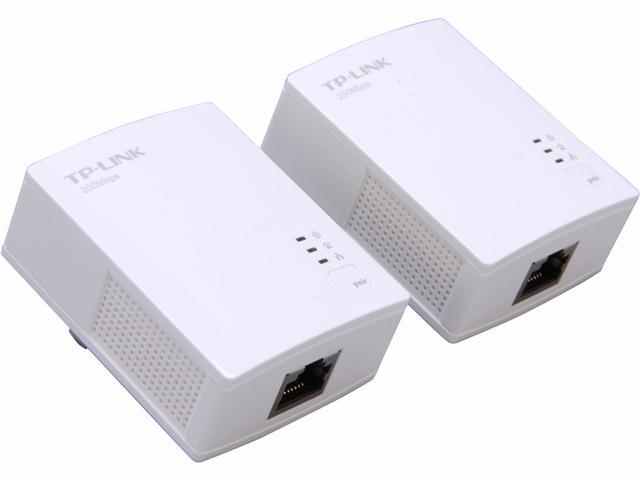
As stated above, you don’t need to do much in terms of installing a powerline adapter. It uses the existing electrical wires to expand a home network and no additional wiring is needed. It’s as simple as plugging it in and letting it do its thing. If you are new to using a powerline adapter, choosing the TP-LINK® TL-PA4010-KIT AV500 Nano Powerline Adapter Starter Kit is an easy entry point into using this tech in your space.
Easy Accessibility
Any home should have outlets in every room. This makes setting up internet very easy. The accessibility also means that it can be far more affordable to purchase a powerline adapter rather than additional cables, modems, and other accessories needed to expand your network.
Makes Connecting additional Devices Easy
If you have a printer or other devices that require internet, these devices do not need to be connected directly to the computer as long as you are using a powerline adapter. They also do not need to be physically near any of the computers on the network to function.
Powerline adapters also do not require any cards or software to be installed on the computer for it to work. If you are looking for a mid-range powerline adapter, try the TP-LINK® TL-WPA4220KIT 300Mbps Wi-Fi Range Extender, AV500 Powerline Edition, Easy Configuration.
Do not Compromise on Quality
Powerline adapters do not degrade the signal or quality of internet in any way. For example, on the higher end of powerline adapters, there is the TP-Link AV1200 3-Port Gigabit Passthrough Powerline Starter Kit (Twin Pack) which provides 3 gigabit ports to create a secure network for desktops, smart TVs, and gaming consoles. The high-speed data transfer rates on this powerline adapter comes up to 1200 Mbps, supporting any and all online needs.
When looking to expand your home network, there’s no reason not to go with a powerline adapter. The speeds are fast, disruptions are none, no features of your internet or devices are limited, and it is compatible with any operating system.