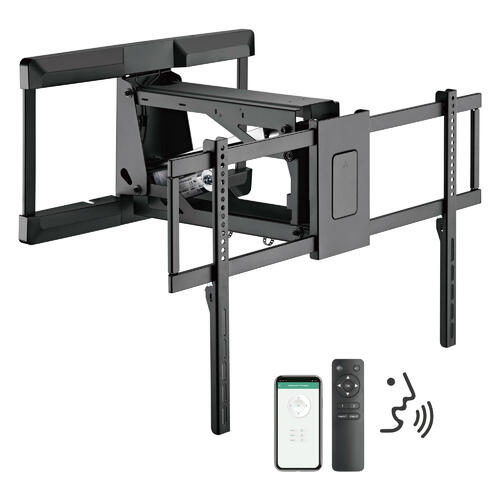
To get the most out of your 4K TV, one of the things that works best is buying a TV wall mount. If you’ve recently bought your very first 4K TV, that’s awesome news. Be sure to set aside some money to give it everything it needs to look great and maximize the home entertainment experience. With any luck, a TV wall mount will work to bring your family even more joy and entertainment in the years ahead.
Setting up your 4K TV
Using a TV wall mount, you want to be careful where you set up your 4K TV as to minimize light glare, as well as to consider the arrangement of sofas, furniture, and doorways. Should you choose to purchase a TV wall mount with tilt included, this can help combat reflections of light from your windows or emanating from lamps or light fixtures. If you don’t have a tilt, you want to be more careful regarding where to place your TV and against what wall.

Now it’s cable-time for your 4K TV
After your TV has been properly mounted and set up, now you’ve got to connect your devices and any associated cables. Consider upgrading your HDMI cables while you’re here, ensuring they’re capable of 4K signals. Whether you’re connecting a satellite box, Blu-ray player, media streaming device, soundbar, or surround sound system, trying to figure out how these cables are supposed to work together may require a cable organizer.
Calibrating and testing everything
After your flat-screen is firmly placed in a TV wall mount and once you have your devices connected, it’s now time to test everything and calibrate your contrast, color, brightness, and color temperature. Especially with a 4K TV, you want to make sure you’re getting everything out of its picture. If there’s a setup disc or should you choose to rely on your eye to calibrate, the important thing is taking the time to get its’ settings just right.
Connecting your soundbar or speakers
The last thing that should come after your 4K TV and TV wall mount is a good set of speakers. 4K TVs get you great picture quality but they don’t promise anything about sound. Consider a multimedia speaker set, a surround sound speaker set, or a Bluetooth soundbar to really give your 4K TV everything it needs to be optimum as a home theater source.
Before you sit down for your next binge-watching marathon, help your home theater system perform just a little better with a more theatrical setup. Absorb yourself into your home entertainment system with these easy-to-do, cost-effective tips.