The short answer: to choose a 12U network cabinet, work out how many rack units your equipment needs (plus room to grow), decide between a wall-mount cabinet, a freestanding cabinet or an open frame rack, then check the usable depth, load capacity, airflow and power options. On PrimeCables.ca, 12U racks and cabinets run from $139.95 to $269.95 as of October 30, 2026.
A 12U rack is a popular size for a home lab, a small office or a closet network: enough space for a router, switch, patch panel, a NAS and a power strip, without taking over the room. This guide explains what “12U” means, how to pick the right style, and which of our 12U options suit which setup.
The problem: equipment that has outgrown the shelf
Once you have a modem, router, switch, patch panel and a storage box, the pile of devices on a shelf becomes a tangle of cables and hot, dusty equipment. A rack gives everything a fixed place and keeps cables organized. The difficulty is choosing a size and style that fits both your equipment and your room, because racks differ in depth, weight rating and how they handle airflow.
What to check before you buy
1. Count your rack units, then add space
One rack unit (1U) is 1.75 inches of vertical space, so a 12U rack has 12 of those. Add up the height of everything you plan to mount: a 24-port switch and a patch panel are typically 1U each, a power distribution unit (PDU) is often 1U, and servers or NAS boxes can be 2U or more. Then leave spare units for future gear and for blank space that helps airflow. A common rule of thumb is to leave at least a quarter of the rack free for growth.
2. Wall-mount, freestanding cabinet or open frame
- Wall-mount cabinets hang on a wall or backboard, which saves floor space in a closet, garage or small office. Make sure the wall can carry the weight of the cabinet plus equipment.
- Freestanding cabinets stand on the floor or a sturdy surface with a lockable door and side panels. They hold deeper equipment and keep it out of sight.
- Open frame racks have no doors or side panels, so equipment is easy to reach and air moves freely, but there is no lock and dust can settle on the gear. Casters make them movable.
3. Usable depth, not just outside size
Measure the depth of your deepest device, including the cables that plug into the back, and compare it with the usable mounting depth on the page. Wall-mount cabinets are often shallower inside than they look from outside. Many pages list a usable depth; if it is not given, treat the external dimensions with caution.
4. Load capacity
The load capacity is how much weight the rack is rated to carry. Add up the weight of every device, including the PDU and shelves. Check whether the rating is for a static load (stationary) or for rolling, and do not exceed it. Wall-mount ratings also depend on how well the cabinet is fixed to the wall.
5. Airflow, power and accessories
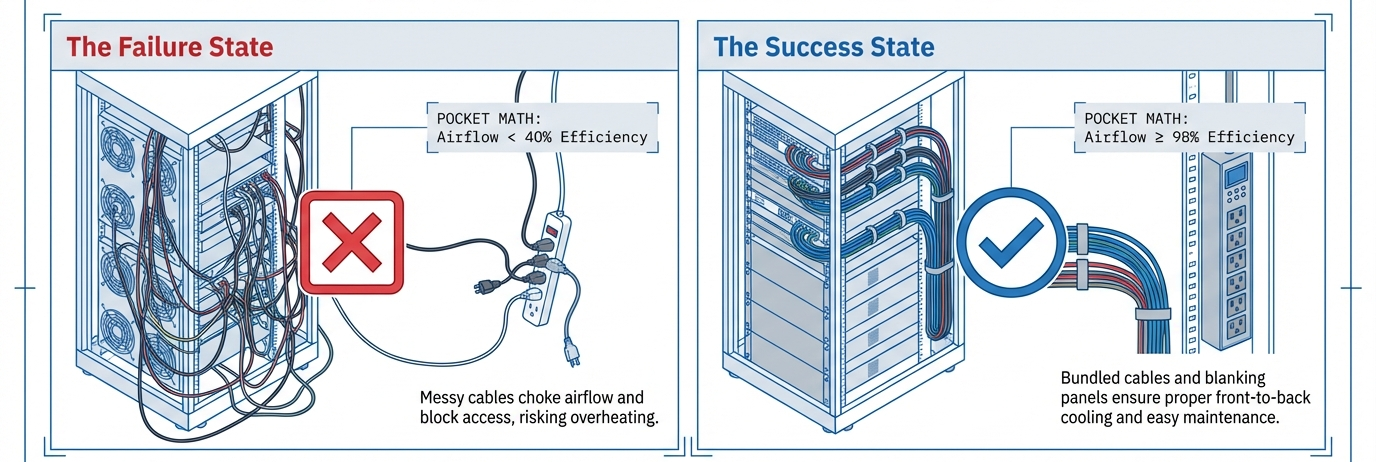
Network gear produces heat. Look for ventilated doors and panels, and fan positions or fans. Then plan the power: a rack-mount PDU puts outlets inside the rack, and some cabinets include one. Plan for shelves for devices that are not rack-mountable, and cage nuts and screws if your rack has square holes. For a longer checklist that covers cabling, power and cooling together, read our server rack checklist.
12U racks and cabinets on PrimeCables.ca
Specifications are taken from each product page. Prices are as of October 30, 2026. The freestanding cabinet, the open frame rack, the 9U wall-mount cabinet and the 1U PDU power strip are on promotional prices that end on November 3, 2026, so check the product page for the current price.
| Rack | Product ID | Price | What the page lists |
|---|---|---|---|
| 12U Open Frame Server Rack with Wheels | 461197 | $139.95 | 12U capacity, open frame, casters with brakes, up to 200 kg (440 lb) static load |
| 12U Wall-Mounted Network Server Data Cabinet | 383393 | $169.95 | 12U, glass front door, 2 top fans, 14.5 in usable depth, up to 60 kg (132 lb) |
| 12U Server Rack Cabinet with PDU and Glass Lock Door | 461198 | $269.95 | 12U, 23.6 in deep, 6-position PDU, lockable glass door, up to 100 kg (220 lb) static load |
Which one suits whom
12U Open Frame Server Rack with Wheels ($139.95). For a home lab, workshop or storage room where you want easy access to the back and sides of your gear and the option to roll the rack. The page lists 12U capacity, a 4-post steel frame, casters with brakes, a 1U and a 2U laminate included (the page’s wording), and a static load rating of up to 200 kg (440 lb). The listing is titled 15U/12U capacity; the specification table lists 12U, and the external size as 520 x 510 x 740 mm. With no doors, it offers no lock.
12U Wall-Mounted Network Server Data Cabinet ($169.95). For a closet, garage or office where floor space is limited. The page lists a lockable steel and glass front door, removable side panels, two fans on the top panel, cable entries on the top and bottom, and a usable mounting size of 12U x 19 in wide x 14.5 in deep. It is rated for up to 132 lb (60 kg) and ships flat-packed with mounting hardware, so assembly is required. The cabinet itself weighs 56.2 lb, so plan the wall fixing before you buy. If you need less space, the 9U wall-mount version is $159.95.
12U Server Rack Cabinet with PDU and Glass Lock Door ($269.95). For a freestanding setup where you want a lockable door and power built in. The page lists a 6-position PDU with a main switch and an American plug, a lockable perforated glass door and side panels, a position for mounting a fan (the page does not say a fan is included), SPCC cold-rolled steel construction, and dimensions of 600 x 600 x 660 mm (23.6 x 23.6 x 26 in). It is rated for up to 100 kg (220 lb) static load.
Useful add-ons
- Universal Vented 1U Rack Shelf, 16 in deep ($34.95): holds up to 15 kg (33 lb), for devices that cannot be rack-mounted, like a modem.
- 1U 6-Outlet PDU Power Strip ($39.95): a 19.1 in aluminum alloy PDU with a 1.8 m cord, listed as ETL certified.
- M6 Cage Nuts and Mounting Screws, 10 sets ($8.59): for square-hole rack rails. Check your rack’s hole type before ordering.
See the whole range in our Server Rack and Cabinet section. To connect the gear once it is mounted, our guide to Cat6, Cat6a and Cat8 Ethernet cable covers cabling.
Frequently asked questions
What does 12U mean?
The “U” is a rack unit, which is 1.75 inches of vertical mounting space. A 12U rack offers 12 units of space for 19-inch wide equipment, which is 21 inches of mounting height.
Do I need a cabinet with doors or is an open frame enough?
If the gear is in a locked room and you want easy access, an open frame is fine. If it sits in a shared area, or you want a lock and less dust on the equipment, choose a cabinet with a door.
Will my equipment fit?
Check three measurements on the product page: the width (19 in standard), the usable depth and the load capacity. Measure your deepest device with its cables and compare.
Prices as of October 30, 2026. Check each product page for the current price, availability and specifications.